Patent Number Lookup
If you already know a patent number, you can go directly to that patent’s page by typing the number into the search box. GoVeda recognizes patent numbers automatically and routes you to the patent viewer instead of running a semantic search.
How to look up a patent
Open the search box
Select Search in the left sidebar. If you are not signed in, go to the GoVeda home page and select Search in the box.
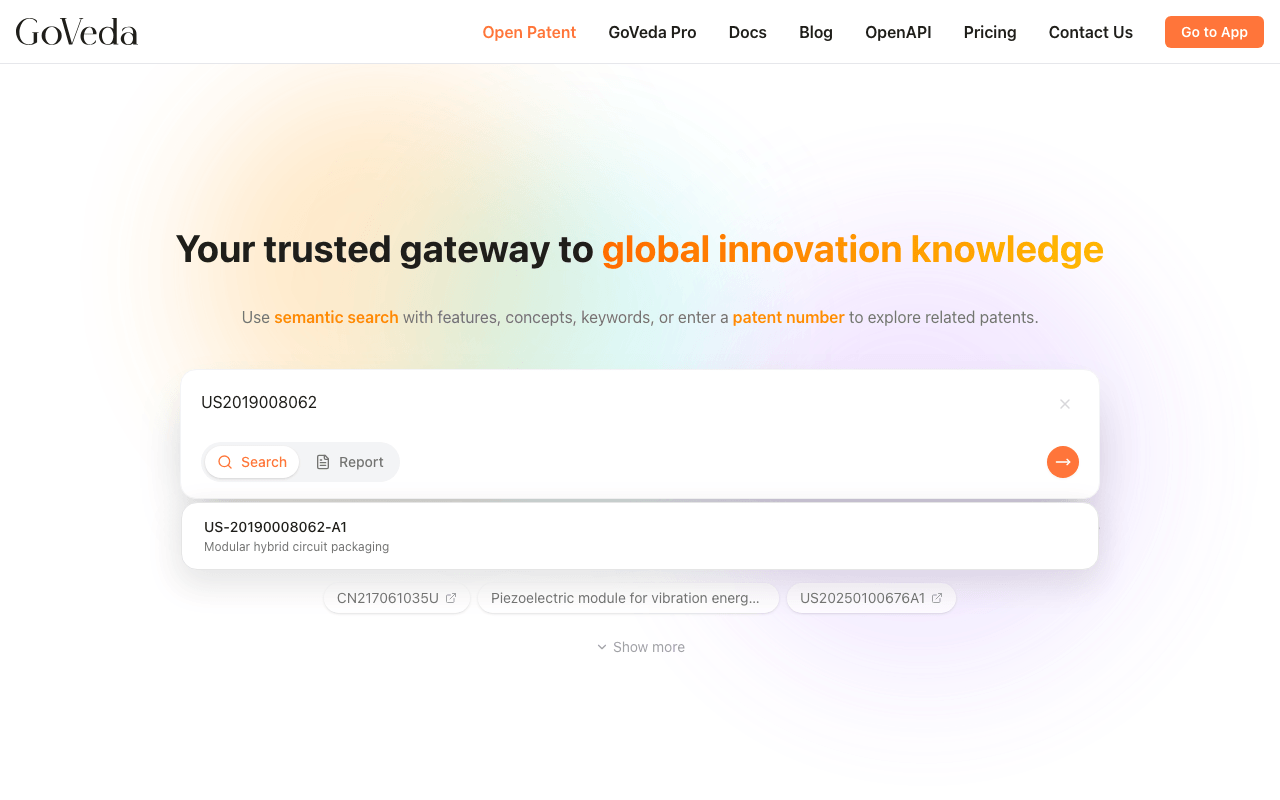
Type a patent number
Type a patent number. GoVeda detects patent number format automatically.
Browse autocomplete
As you type, an autocomplete dropdown appears with matching patents and their titles.
Select or submit
Select a result from the dropdown, or finish typing and press Enter.
View the patent
GoVeda takes you directly to the patent detail page.
Supported formats
GoVeda accepts publication numbers, with or without a kind code, and other common references. For example, you can enter:
- Full publication number:
US20190080621A1 - UCID format:
US-20190080621-A1 - No kind code:
US20190080621 - Print form:
US 2020/0097977 A1 - Application number:
US16/544325 - PCT number:
PCT/US2019/047123
GoVeda normalizes the input before looking up the patent. If a reference matches more than one publication, GoVeda lists them so you can choose.
What is a UCID?
UCID stands for Universal Citation Identifier. It is a standardized way to identify a patent document using three parts separated by hyphens: [Country Code]-[Document Number]-[Kind Code] (e.g., US-7123456-B2).
- Country code: Two-letter code for the country, region, or patent office (US, EP, WO, CN, JP, DE, etc.)
- Document number: The publication or application number assigned by the patent office
- Kind code: A letter-number combination indicating the document type (B2 = granted US patent, A1 = published application, etc.)
Common kind codes
| Kind code | Meaning |
|---|---|
| A1 | Published patent application (US) |
| B1 | Granted patent, no prior publication |
| B2 | Granted patent, published application existed |
| A | Published application (many patent offices) |
| B | Granted patent (many patent offices) |
How autocomplete works
When you type at least 3 characters that look like a patent number, GoVeda queries an autocomplete service in the background. It returns matching patent numbers along with the title of each patent. This helps you:
- Confirm you have the right patent before navigating
- Find a patent when you remember only part of the number
- Distinguish between related documents in the same patent family
The autocomplete service may not have suggestions for every patent in the database. If no suggestions appear, you can still press Enter to navigate directly if you have the full number.
What happens after lookup
When you select a patent or press Enter with a valid number, GoVeda opens the Patent Viewer for that document. The viewer shows the full text, claims, abstract, drawings, and related metadata.
If what you enter isn’t a patent number, GoVeda runs a normal search. If it looks like one but no publication matches, GoVeda shows close candidates when it has them; otherwise you see No patent found for "…" with a Search as text option. Double-check the country code, document number, and kind code. If lookup itself is down, you see Patent number lookup is temporarily unavailable. Please try again shortly.
Finding a patent number
If you need to find the patent number for a specific document:
- Patent certificates and assignment records include the publication number
- Public patent databases (USPTO, EPO, WIPO) list numbers in search results
- Academic papers citing patents often include the publication number in the reference
- Competitor product disclosures sometimes list relevant patent numbers