Managing Your Subscription
Manage OpenPatent Pro from Plan & Credits settings .
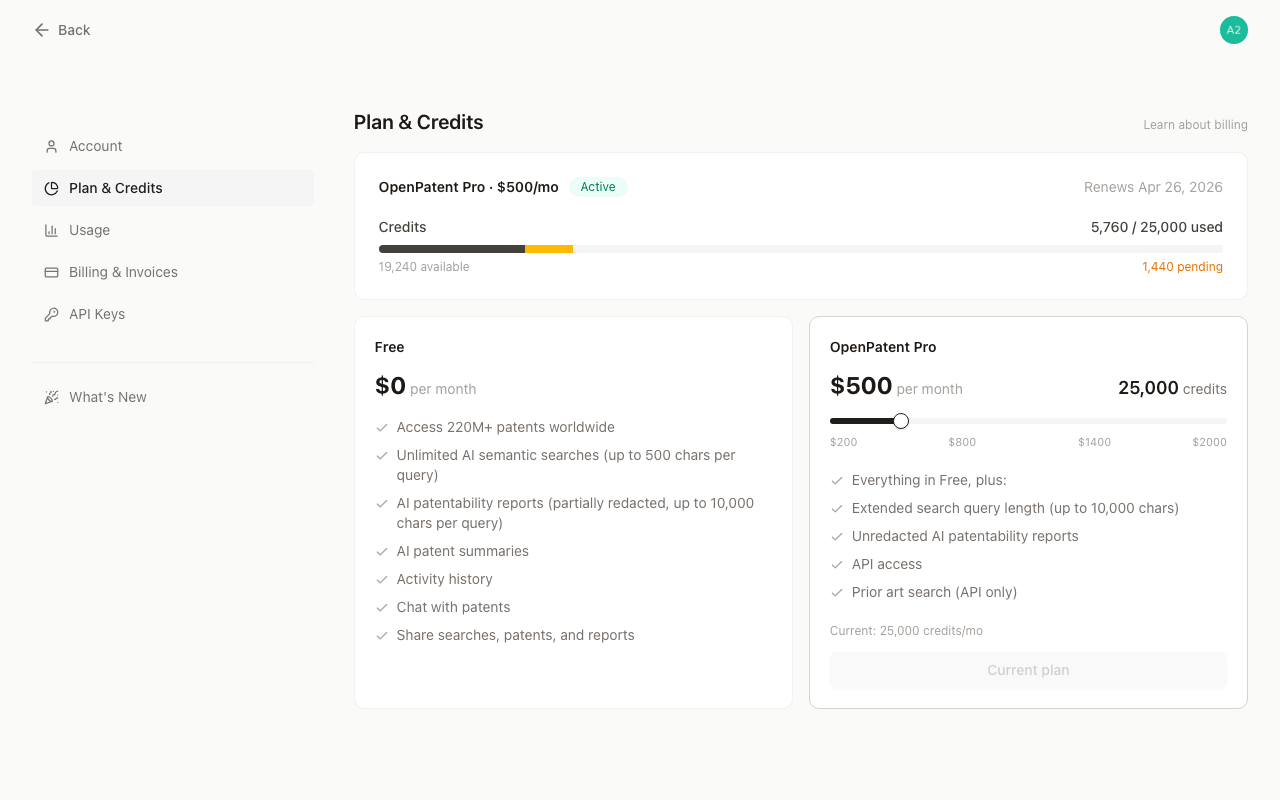
Monthly and annual billing
Monthly plans charge once a month. Annual plans charge the equivalent of ten months upfront, then refresh your credits every month for twelve months.
For an annual plan, Credits refresh is the next monthly credit refresh date, while Plan renews is the date of the next annual charge.
Promotion codes
When starting a Subscription, enter an eligible promotion code at checkout and review the discount and amount due before paying. The offer’s eligibility and duration determine how the discount applies.
Changing credit tiers
Self-serve tiers run from 20,000 to 200,000 credits per month in 10,000-credit steps.
- Upgrades take effect after payment succeeds. Before confirming, you can review the amount due today and the effective date.
- Moving to annual billing starts a new annual term. You pay the adjusted annual amount upfront, then continue receiving credits monthly.
- Increasing an annual plan keeps the existing annual renewal date. The current and future monthly credit amounts increase for the rest of the term.
- Downgrades take effect at the next renewal. Your current plan and credits stay available until then.
- Moving from annual to monthly takes effect when the current annual term ends.
If the payment is not completed, your current subscription stays unchanged.
Buying Add-ons
An active subscriber can buy Add-on credits in $30 / 2,000-credit steps. Add-ons expire 12 months after purchase and do not alter the plan’s recurring tier or renewal date.
You can use Add-ons while your paid subscription is active. If a payment becomes past due, unused Add-on credits remain on your account but cannot be used. They become available again after payment succeeds, provided they have not expired.
Canceling your subscription
Cancellation is scheduled for the end of the current paid term. Pro features and current plan credits remain available until then. After access ends:
- unused plan credits expire when access ends;
- unexpired Add-ons remain on your account but cannot be used without an active paid subscription; and
- independent API Credit remains available and never expires.
You can reactivate before the scheduled cancellation date.
If a payment fails
If a recurring payment becomes past due, Pro access and Add-on use are paused. Follow the payment link in Billing & Invoices. After payment succeeds, any remaining unexpired credits become available again.