Reports
GoVeda reports are AI-generated patent analysis documents. Submit a description of your invention, and GoVeda searches global patent databases, compares your invention against prior art, and produces a structured written analysis.
Report types
GoVeda generates three report types, each answering a different question:
| Report | Question it answers | Status |
|---|---|---|
| Novelty Analysis (Patentability) | Is my invention new relative to existing prior art? | GA |
| FTO (Freedom to Operate) | Can I make or sell my product without infringing active patents? | Beta |
| Patent Landscape | What is everyone filing in this technology area, and where are the gaps? | Beta |
Each report is generated separately by switching the report type on the home-page input.
What a Novelty report contains
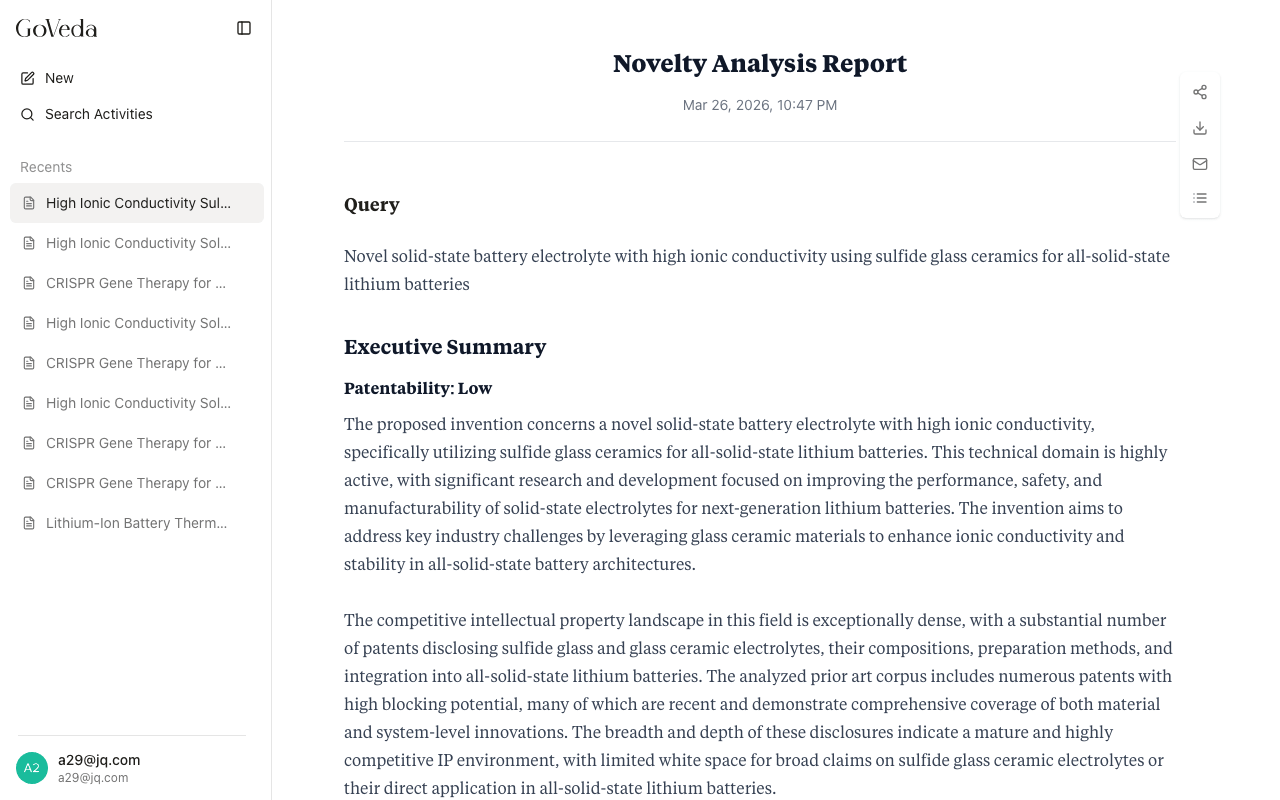
A completed Novelty Analysis Report includes:
| Section | What it shows |
|---|---|
| Query | Your original invention description |
| Executive Summary | Patentability verdict (High or Low) with narrative explanation |
| Key Threats to Patentability | Specific prior art findings that challenge novelty |
| Recommendations | Suggested directions to improve patentability |
| Query Analysis | Technical domain, core innovation, CPC/IPC classifications, novelty features |
| Prior Art Analysis | Per-patent cards with relevance scores, claim mapping, technical overlaps, and key differences |
| Patent Citations | Formatted reference list of all relevant patents |
For the structure of FTO and Patent Landscape reports, see their dedicated pages below.
Access tiers
Reports are generated for all users. How much of the report you can read depends on your plan:
- Without a Pro subscription: The first prior art finding is shown. The rest is blurred. Patent identifiers are hidden.
- With a Pro subscription: The full report is visible, including all patent analyses, citations, and detailed comparisons.
See Report Access for the complete rules, including how shared reports work.
Pages in this section
How to generate a Novelty Analysis Report
Patentability ReportFreedom-to-operate analysis (Beta)
FTO ReportTechnology-area landscape mapping (Beta)
Patent LandscapeA walk-through of every section
Reading a ReportFree vs Pro visibility, sharing, and unlocking
Report AccessPDF download, email delivery, and share links
Exporting and Sharing