You’ll need the GoVeda MCP server connected first. It takes about a minute. See Connect to Claude or ChatGPT to set it up. Once it’s connected, just ask your question; your assistant reaches for GoVeda on its own when a patent task needs it. New accounts get a 14-day free trial with 10,000 credits.
When a quick read isn’t enough, GoVeda runs a full novelty report: a server-side job that searches for prior art, analyzes each reference against your invention, and returns a structured, citable patentability assessment. (For an instant, in-the-chat read instead, use Assess Novelty & Plan a Design-Around.)
The prompt
Open a new chat and paste:
Generate a novelty report for this invention: a fast-charging system for lithium-ion EV battery packs that embeds fiber-optic temperature sensors inside individual cells and adjusts charging current per cell group in real time, to suppress lithium plating and extend battery life. Give me the patentability verdict, the most concerning prior art, and the key recommendations.
A full novelty report is the most credit-intensive tool, about 720 credits. For a much lighter read of the same idea, use Assess Novelty & Plan a Design-Around instead.
What GoVeda does behind the scenes
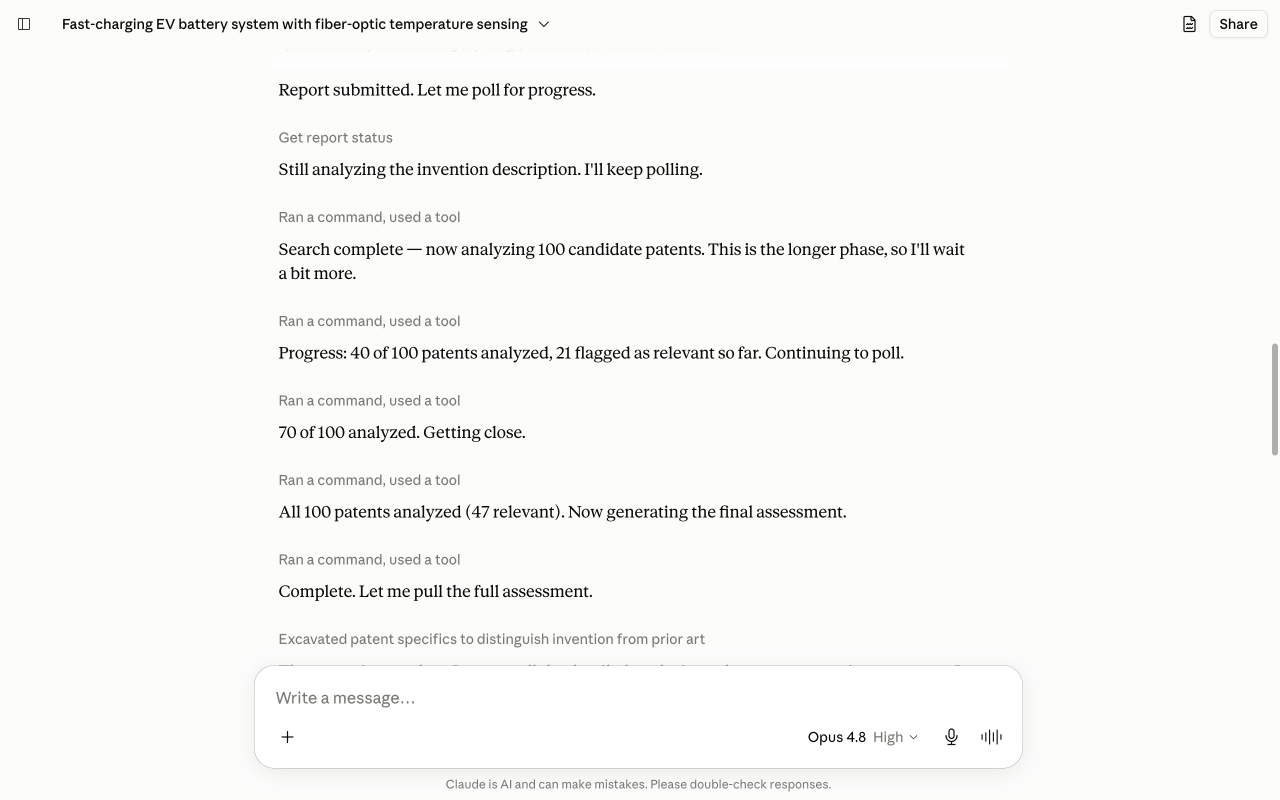
A full report is a server-side job that runs for several minutes, not a single answer. The assistant kicks it off, waits for it, then reads it back:
Start the report
It calls generate_novelty_report with your invention description. That launches a prior-art search and per-reference analysis on the server and returns a report id.
Poll until it completes
It checks get_report_status as the job moves through its stages (searching, then analyzing each patent). This takes several minutes because it weighs dozens of references against your description, not just the top few.
Read the verdict and the threats
Once complete, it calls get_report_summary for the patentability verdict and ranked prior art, then get_report_patent_analysis to pull the detailed reasoning on the most concerning references.
You can watch the report build, stage by stage, in the chat:
What you get
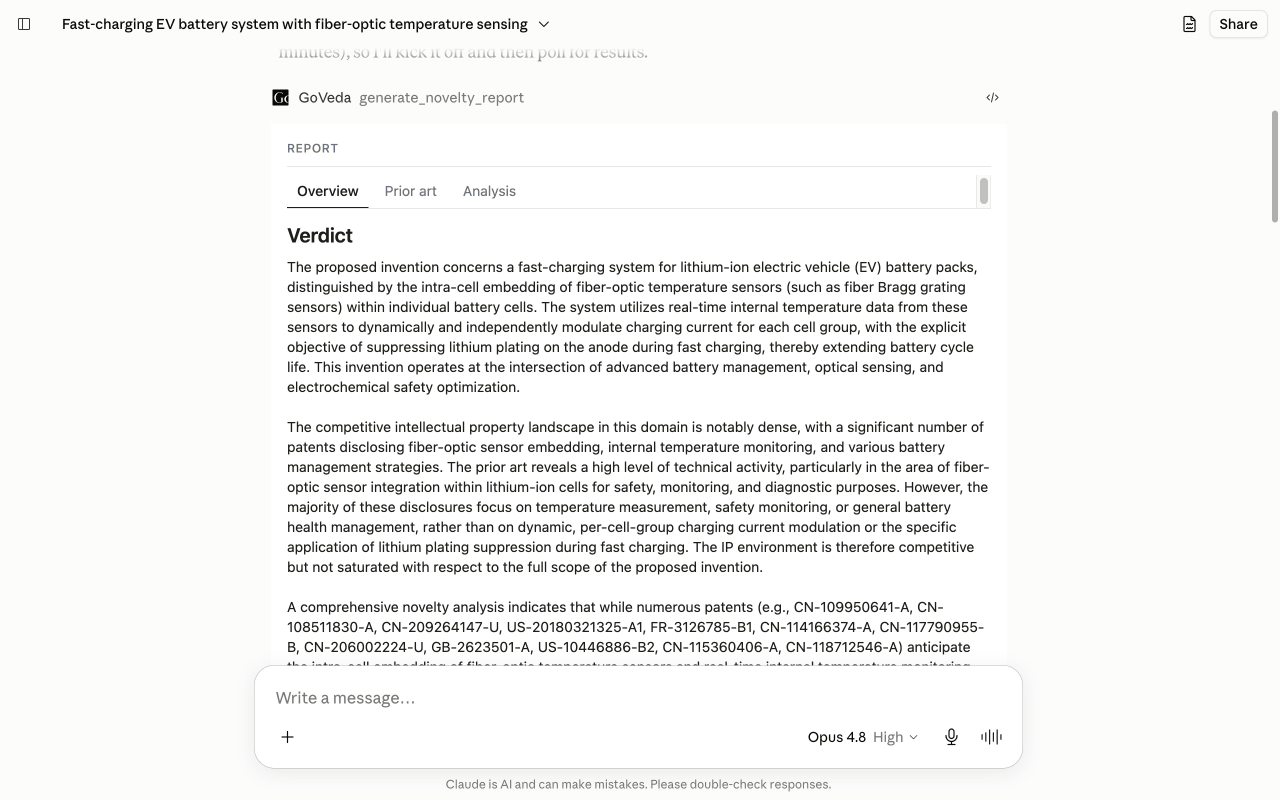
GoVeda returns a structured report card with Overview, Prior art, and Analysis tabs: a patentability verdict, the most concerning references ranked by relevance, the specific feature combination that keeps the invention novel, and concrete claim-drafting recommendations. Every report ends with a clear disclaimer: it is AI-assisted analysis, not legal advice, and should be reviewed by a qualified patent attorney.
Tips
The report runs on the server for several minutes, so you don’t have to wait on the chat. It keeps running even if you switch away, and you can pick the finished report back up by its id, or from your Reports history, when you come back. See Reports for the full report format.
Next: browse more use cases or read the MCP tool reference.