You’ll need the GoVeda MCP server connected first. It takes about a minute. See Connect to Claude or ChatGPT to set it up. Once it’s connected, just ask your question; your assistant reaches for GoVeda on its own when a patent task needs it. New accounts get a 14-day free trial with 10,000 credits.
Finding a patent by its number is easy. Reading it is the hard part. Hand the number to your AI assistant and get the parts that matter back in plain language, no PDF wrangling.
The prompt
Open a new chat and paste:
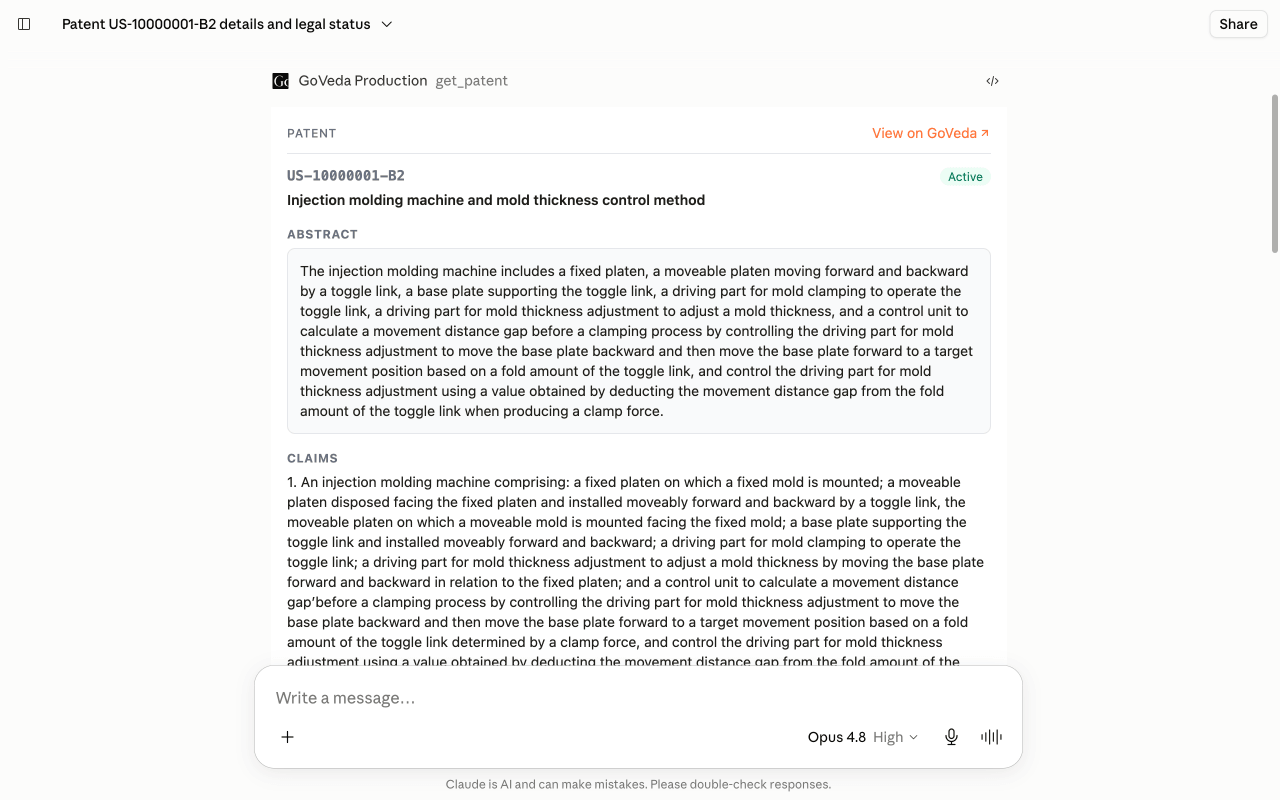
Pull up patent US-10000001-B2 and give me the abstract, the independent claim(s), the current assignee, and its legal status. Is it still in force, and when does it expire?
What you get
GoVeda calls get_patent and renders the document as a card: abstract, independent claims, current assignee, and legal status. You get a direct answer on whether the patent is still in force, along with its expiry. It usually takes 10 to 20 seconds.
Tips
This works for any publication number, so just drop in the one you’re looking at. One caveat: legal status reflects the recorded data, which can lag the official register, so confirm there before you rely on it for anything that matters.
Next: browse more use cases or read the MCP tool reference.