You’ll need the GoVeda MCP server connected first. It takes about a minute. See Connect to Claude or ChatGPT to set it up. Once it’s connected, just ask your question; your assistant reaches for GoVeda on its own when a patent task needs it. New accounts get a 14-day free trial with 10,000 credits.
Before you spend on a filing, get a fast read on how novel your idea looks and what stands in the way. This is the quick, in-the-chat version that answers in seconds; for the full, citable report that weighs dozens of references and returns ranked threats with recommendations, use Generate a Novelty Report instead.
The prompt
Open a new chat and paste:
I’m an inventor. My invention is a smart contact lens that continuously measures blood glucose using a passive RFID sensor (no battery — powered and read wirelessly by an external reader). Assess how novel this looks and tell me the single biggest prior-art obstacle I’d need to design around. Ground it in a real prior-art search — no need to generate the full formal report.
What GoVeda does behind the scenes
Instead of guessing from training data, the assistant grounds the read in real patents and then drills into the closest one:
Search for the closest prior art
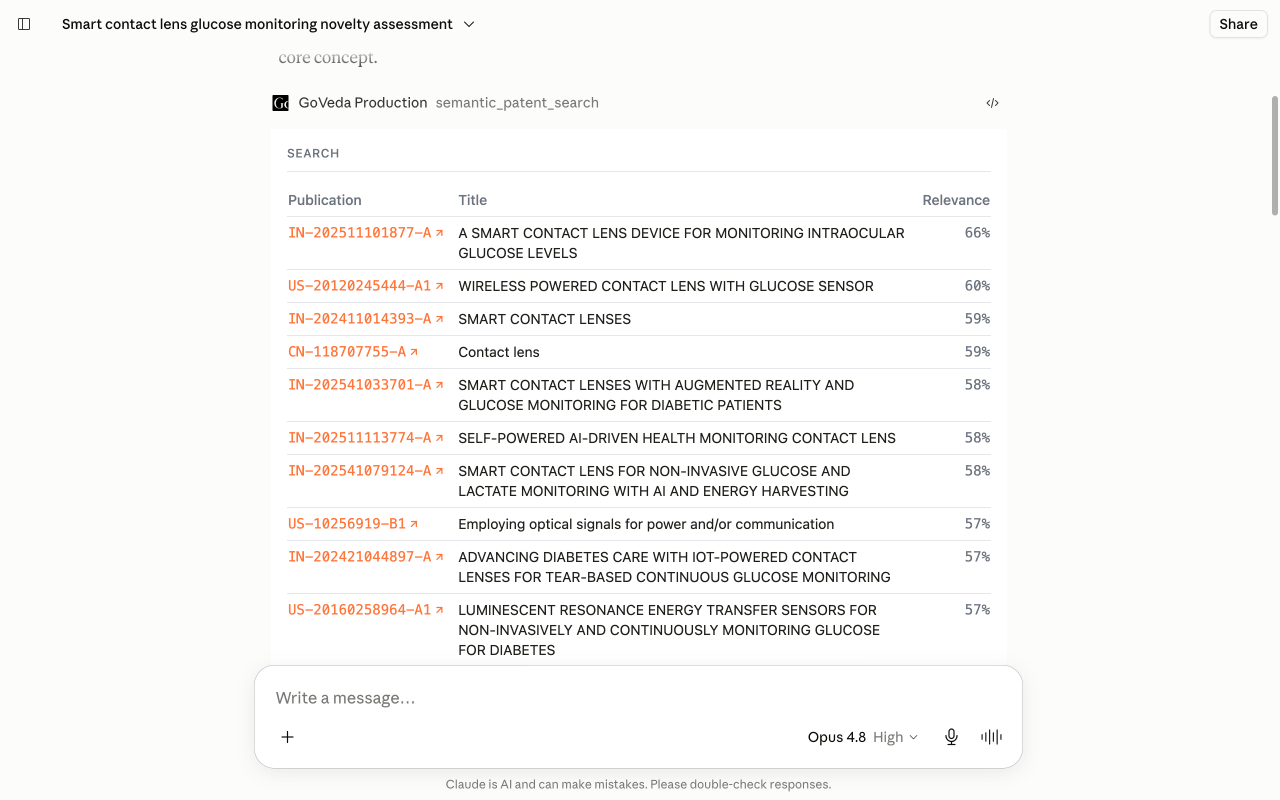
It runs semantic_patent_search on your invention description, so the assessment is anchored to patents that actually exist rather than a hunch.
Read the top threat’s claims
It calls batch_get_patents for the claims and legal status of the strongest hit, because novelty is decided on claim language, not titles.
Separate novelty from freedom to operate
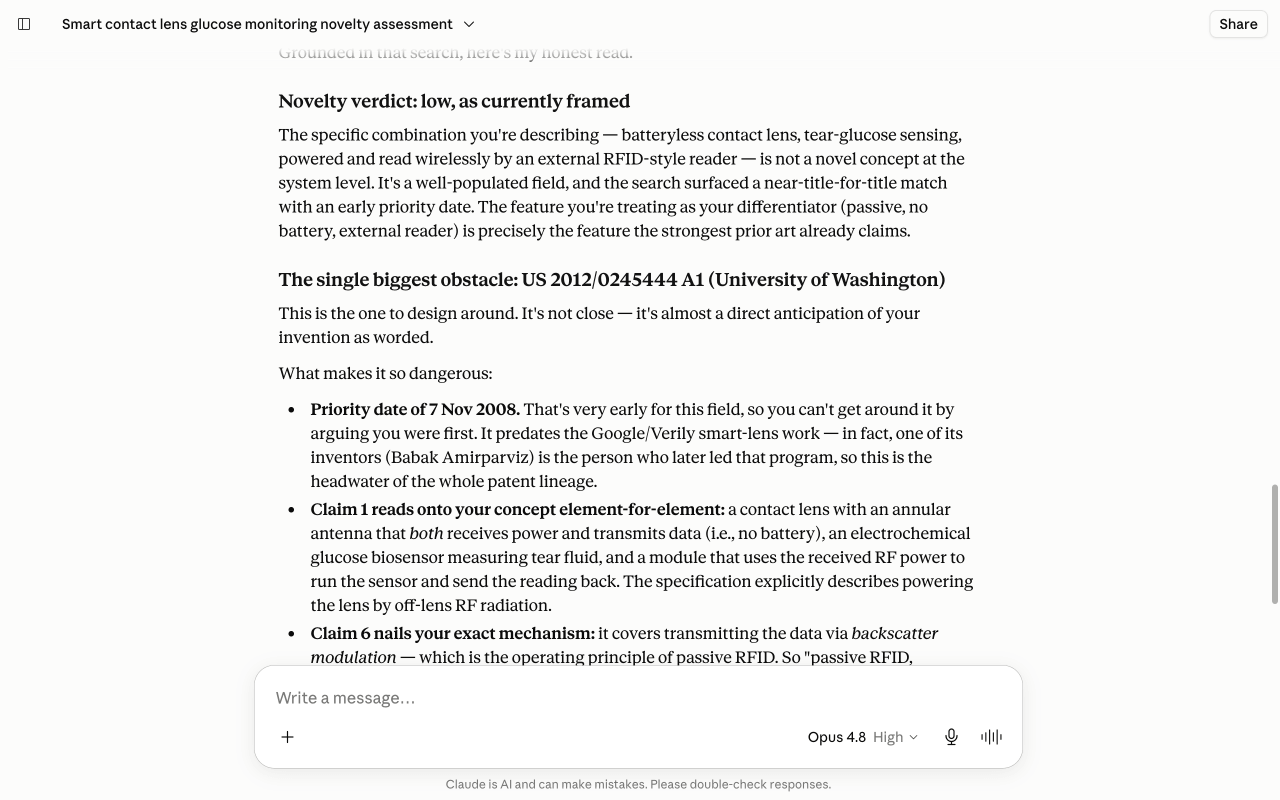
It reasons over those claims to name the single biggest obstacle, distinguishing whether the patent blocks your novelty or only your freedom to operate, then points at directions to design around it.
You can watch it search, then drill into the blocking patent, in the chat:
What you get
GoVeda names the single biggest prior-art obstacle and shows how closely its claims track your idea. It separates two things people often conflate: whether that patent blocks your novelty (an expired patent is still prior art) or your freedom to operate (an expired patent no longer is). Then it suggests concrete directions to design around it.
Tips
This prompt stays in fast, “instant assessment” mode. For a full, citable verdict with ranked threats and recommendations, use Generate a Novelty Report instead. This is a research aid, not legal advice, so have a patent attorney review anything you act on.
Next: browse more use cases or read the MCP tool reference.