Using GoVeda Patent Inside Claude: A Quick Start
You can now ask GoVeda about patents directly inside Claude — filing dates, legal status, prior art, and AI-assisted patentability checks — without leaving the chat. No code, no plugins, no copy-pasting between tabs. You connect your GoVeda account once, then ask questions in plain language.
This walkthrough shows every step with screenshots. It takes about two minutes to set up.
New to this? “Connecting” GoVeda to Claude just means giving Claude permission to look things up in GoVeda on your behalf — the same way you’d let one app see your calendar. You sign in with your GoVeda account once, and that’s it.
Step 1 — Add GoVeda as a connector
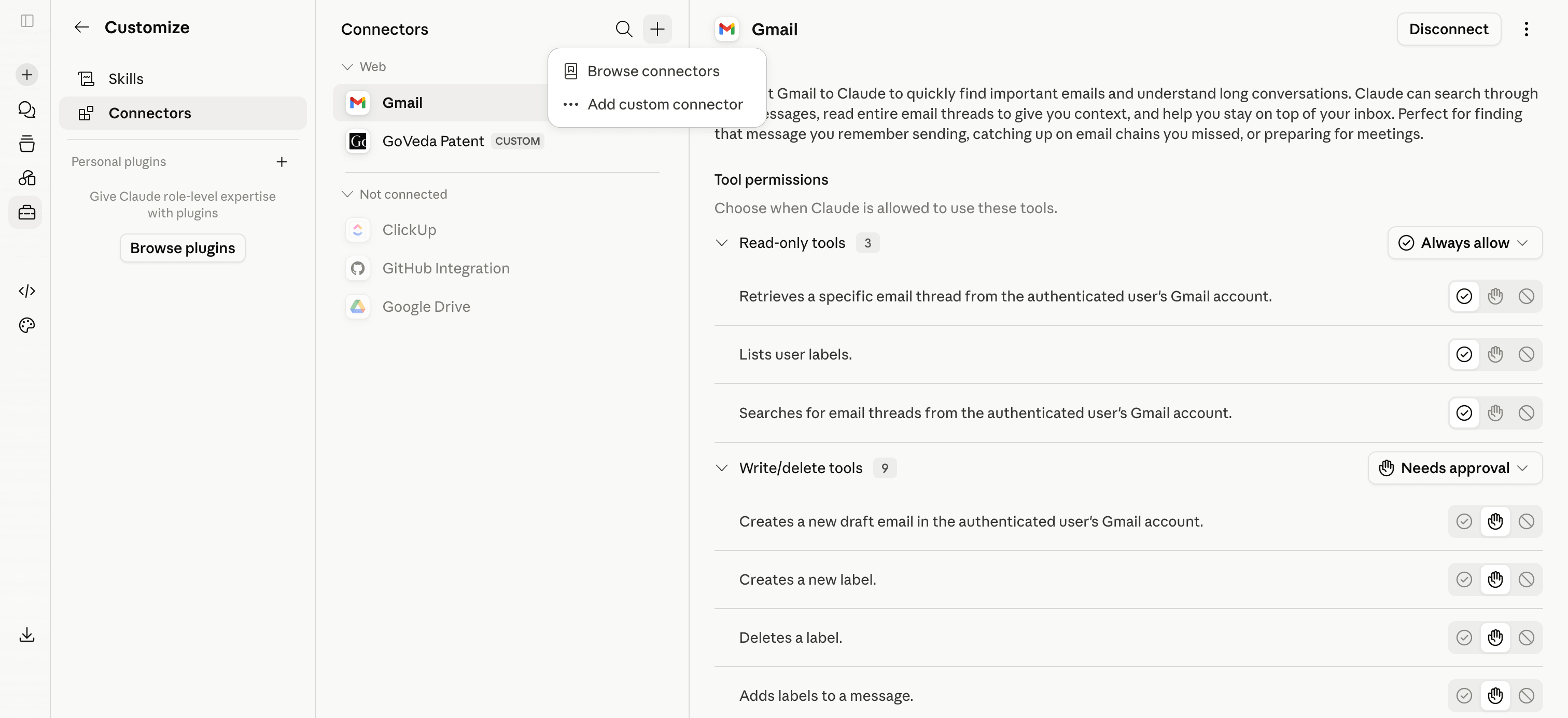
In Claude, open Customize → Connectors and click the + (Add connector) button, then choose Add custom connector.
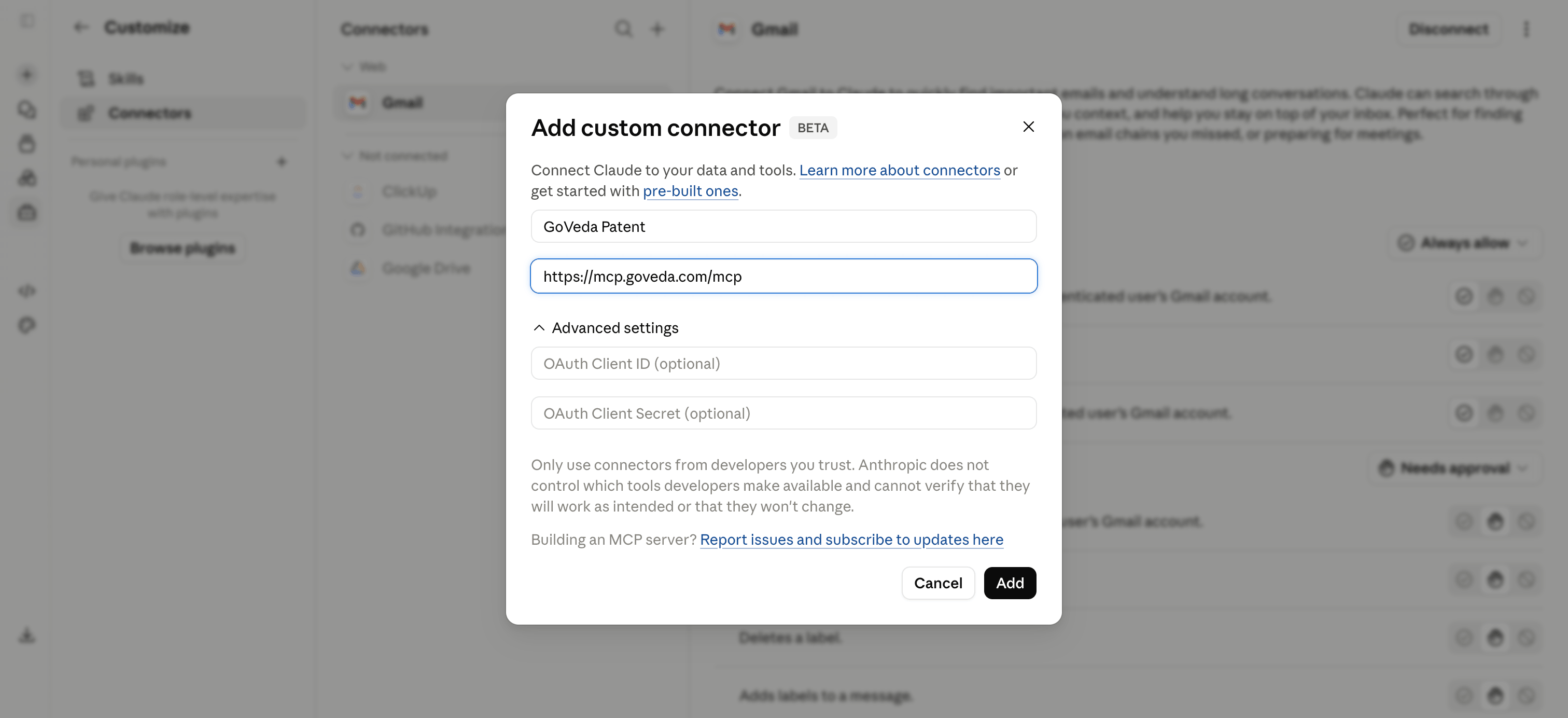
Fill in the two fields exactly as shown, then click Add:
- Name:
GoVeda Patent - Remote MCP server URL:
https://mcp.goveda.com/mcp
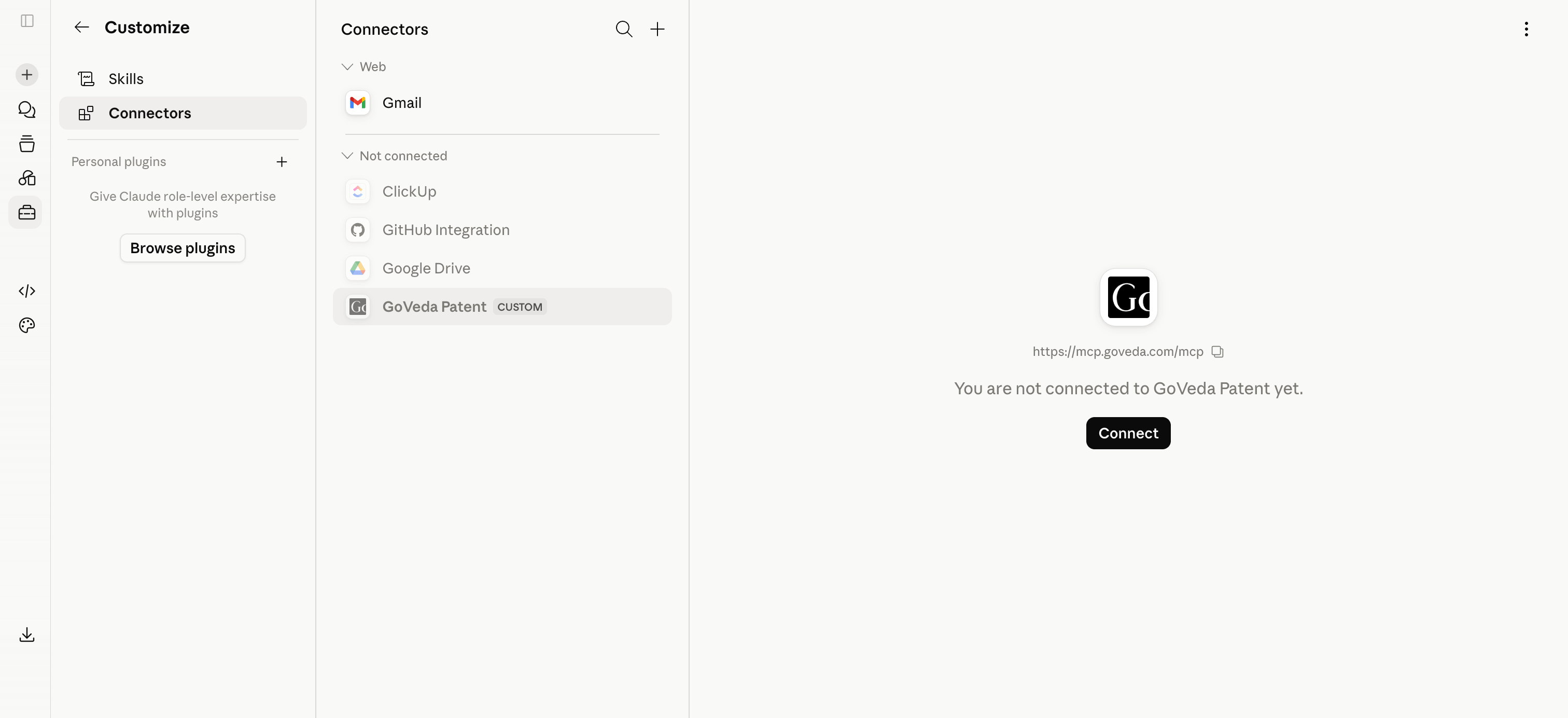
Step 2 — Connect and sign in
GoVeda now appears in your connector list. Click Connect and sign in with your GoVeda account when the browser prompts you. This is the only sign-in you’ll need.
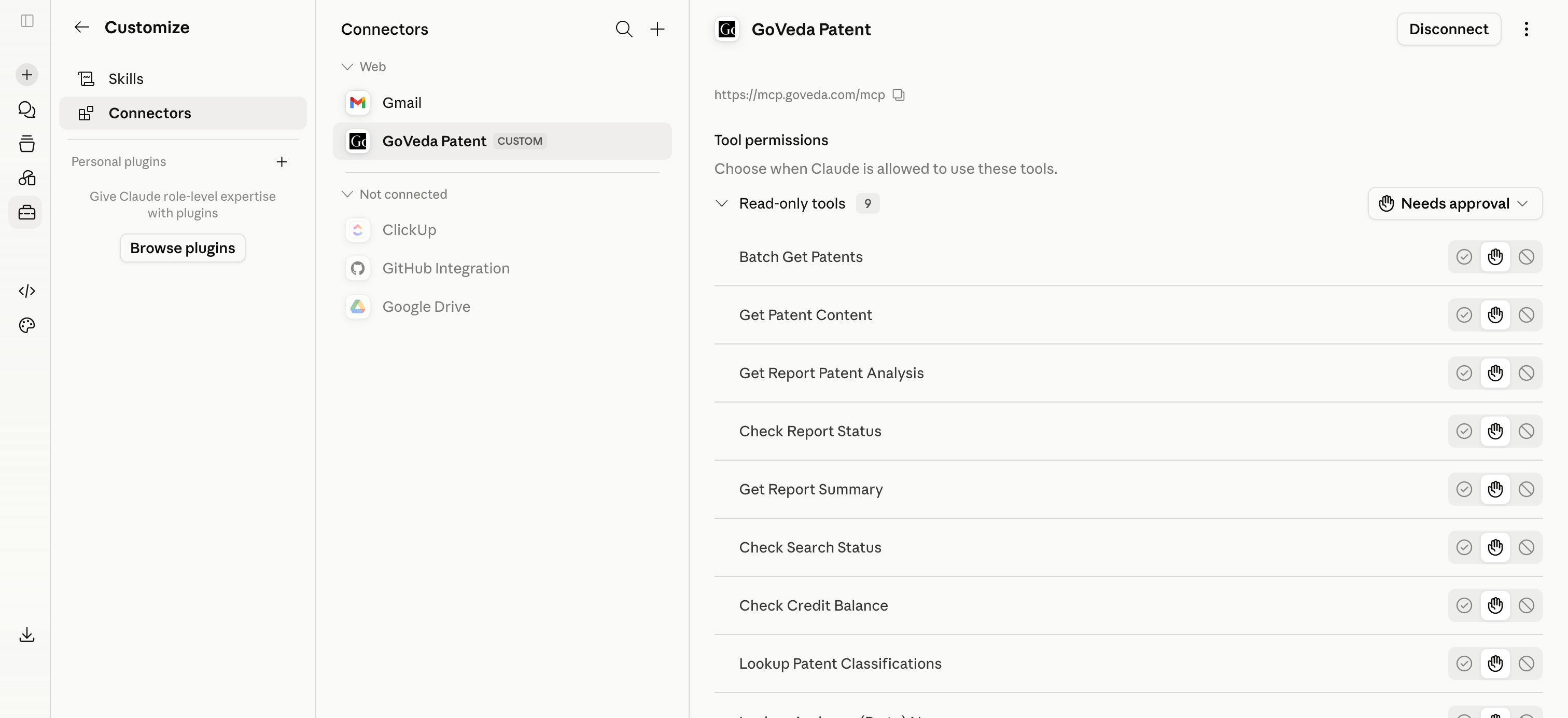
Once you’re signed in, GoVeda’s patent tools are available — searching patents, retrieving patent content, checking legal status, and generating patentability reports. You don’t need to learn the tool names; Claude picks the right one based on your question.
Step 3 — Ask in plain language
First time? Your free trial starts itself. If your GoVeda account has no credits yet, the first request that needs them activates a 14-day free trial with 10,000 credits automatically — there’s nothing to click and nothing to confirm. Credits are shared with the GoVeda web app; you can check your balance anytime by asking “how many GoVeda credits do I have left?”
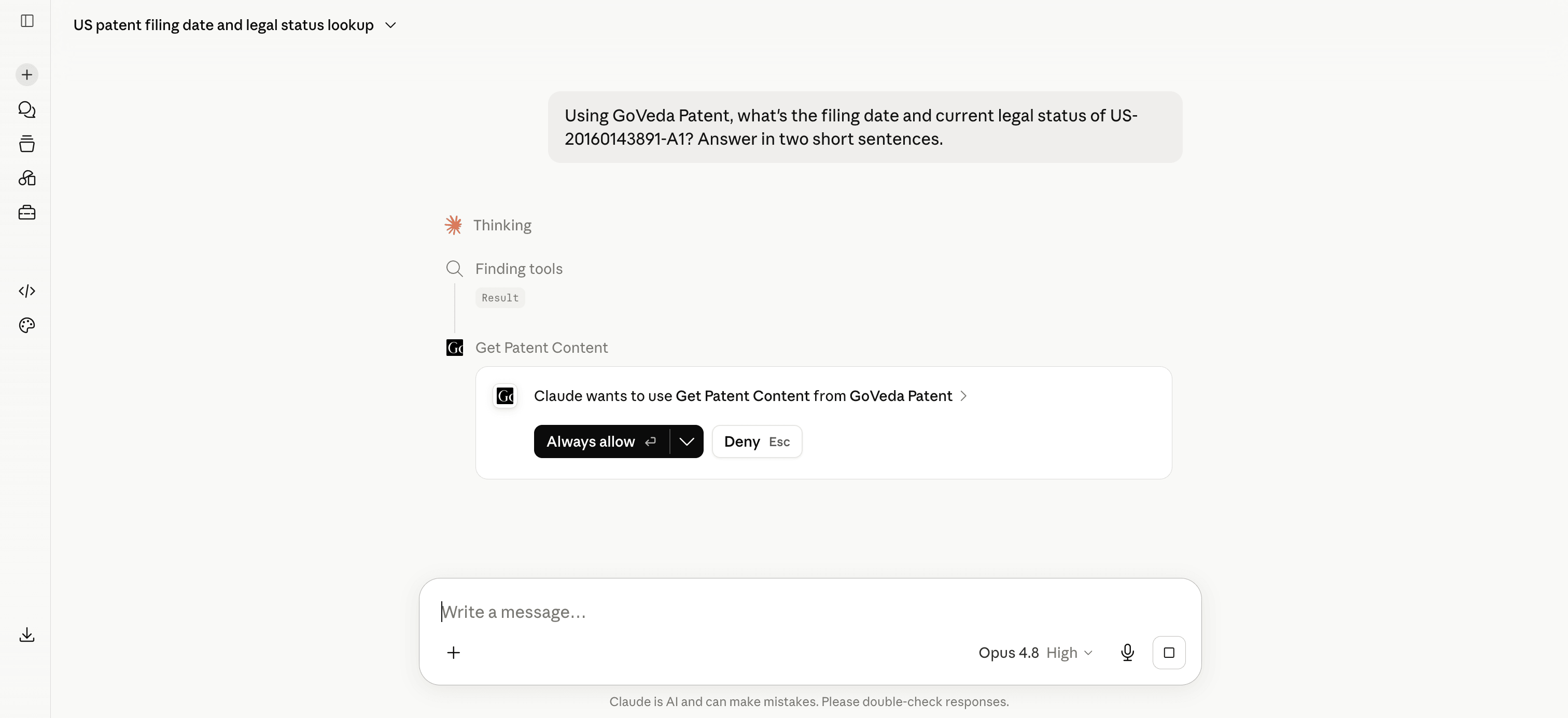
Start a new chat and ask your question normally. The first time Claude uses GoVeda, it asks for your permission — click Always allow so it won’t ask again.
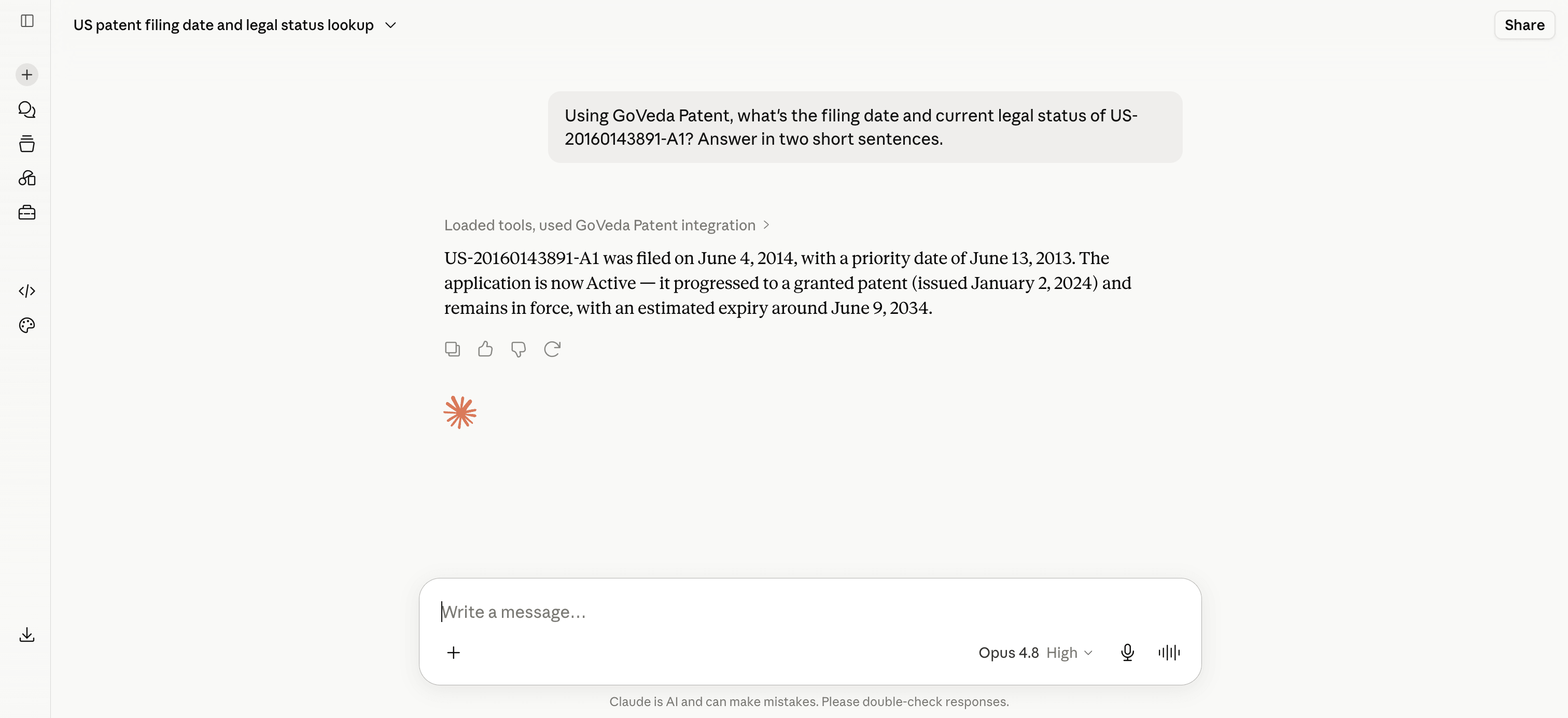
Claude looks the patent up in GoVeda and answers — grounded in the actual record, not guesswork.
Things you can ask
GoVeda handles a few everyday jobs. Copy any of these into a chat to get started:
Check a patent’s status — dates, grant status, and whether it’s alive or dead.
“What’s the filing date and current legal status of US-20160143891-A1? Is it still active?”
Find prior art — a ranked list of the closest existing patents.
“Find the closest prior art to a method for detecting counterfeit pharmaceuticals using Raman spectroscopy of the pill coating. Show me the top five.”
Run a patentability check — an AI-assisted novelty assessment to review before involving counsel.
“Run a patentability check on this idea: a lithium-ion battery pack that embeds microencapsulated phase-change material in the separator layer to absorb heat during charging.”
Read a patent in plain language — ask follow-ups on anything you retrieve.
“Get the full claims of US-10,000,001-B2 and explain claim 1 in plain language.”
Claude reads the patent text and answers in plain language — you can always ask it to “explain claim 1 in simple terms” or “summarize what this patent actually protects.”
A few tips:
- Be specific. “Battery cooling system” returns broad results; “phase-change material cooling integrated into lithium-ion cell separators” returns precise matches.
- Chain questions. Search → open a result → compare it to your idea, all in one conversation. Claude remembers what it already found.
- Know which ones cost real credits. Prior art searches and full patentability reports are the credit-heavy calls. Status checks, classification lookup, and patent-reference discovery are free; assignee and portfolio lookups cost 1 credit per call or page. Ask for the expensive tools deliberately — and when you want to know where you stand, just ask Claude how many GoVeda credits you have left.
Looking for the full tool list?
This guide covers the everyday workflow. For every available tool, its parameters, filter options, and credit costs, see the Patent MCP Server documentation.
Prefer ChatGPT? The same patent tools work there too — see Using GoVeda Patent Inside ChatGPT.
Disclaimer: GoVeda’s patent tools assist your research and do not constitute legal advice. AI-generated patentability assessments and prior art analyses should be reviewed by a qualified patent attorney or agent before any filing, licensing, or litigation decision.