You’ll need the GoVeda MCP server connected first. It takes about a minute. See Connect to Claude or ChatGPT to set it up. Once it’s connected, just ask your question; your assistant reaches for GoVeda on its own when a patent task needs it. New accounts get a 14-day free trial with 10,000 credits.
Patents are filed in many languages: English, Chinese, Japanese, Korean, German, and more. If English is the language you read best, you can still read any of them. Hand the patent number to your AI assistant and get the title, abstract, and claims back in English, with no separate translation tool to wrangle.
The prompt
Open a new chat and paste:
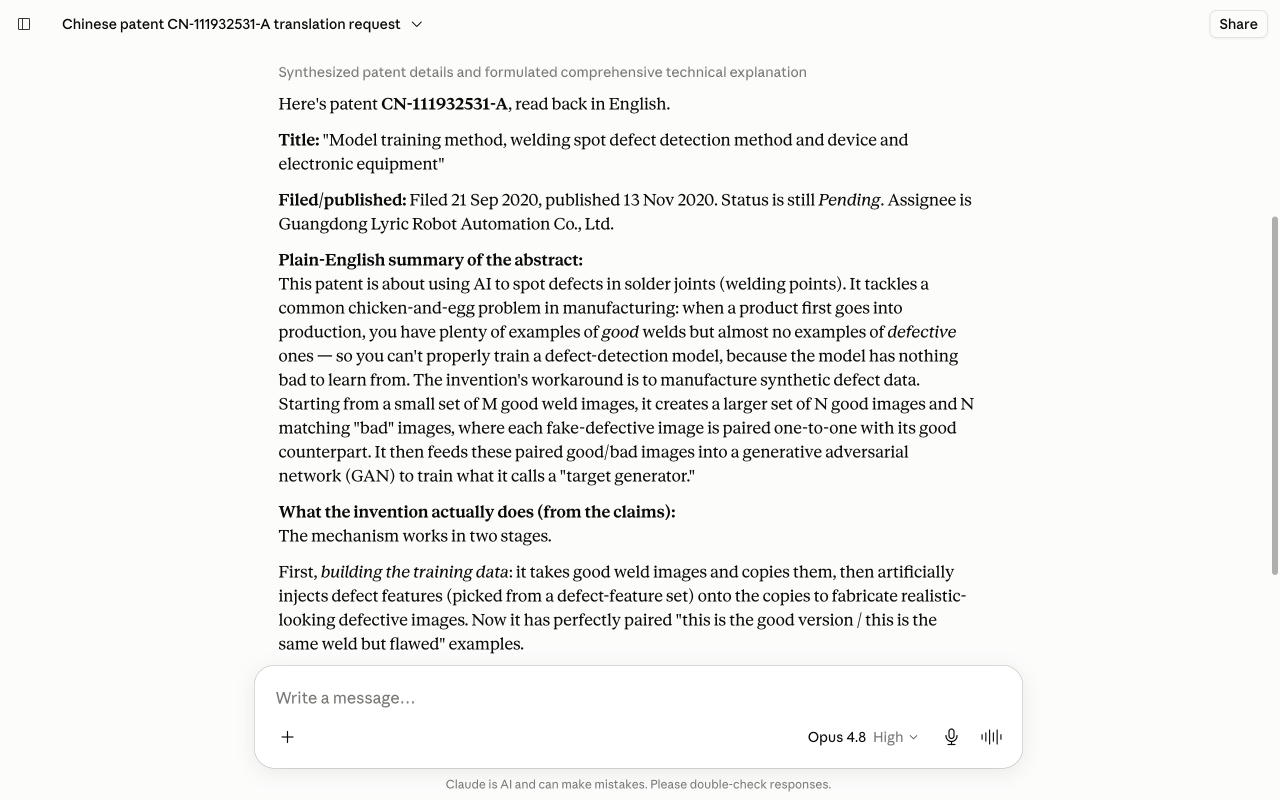
Pull up Chinese patent CN-111932531-A and read it back to me in English — the title, a plain-English summary of the abstract, and what the invention actually does. Which languages are on file for it?
What GoVeda does behind the scenes
This is a quick two-step chain, and the assistant narrates each step as it runs:
Fetch the original record
It calls get_patent to pull the document as filed: title, abstract, and claims in the original language.
Read it back in English
It calls get_patent_translations for the English variant. That text comes from the patent office’s own bilingual record where one exists, not on-the-fly machine translation, and GoVeda reports which languages it actually holds on file so you know whether you’re reading an official translation or a fallback.
What you get
GoVeda returns the patent as a card with the title, abstract, and claims in English, then explains the invention in plain language. If a field is missing in your language, it can borrow that field from a patent-family member rather than leaving a gap.
Tips
Works for any publication number, whatever language it was filed in (Chinese, Japanese, Korean, German, and more).
Next: browse more use cases or read the MCP tool reference.