You’ll need the GoVeda MCP server connected first. It takes about a minute. See Connect to Claude or ChatGPT to set it up. Once it’s connected, just ask your question; your assistant reaches for GoVeda on its own when a patent task needs it. New accounts get a 14-day free trial with 10,000 credits.
When you already have a patent number, GoVeda’s dedicated prior-art search reads that patent’s full content and finds the closest earlier filings across 220M+ publications, ranked by similarity.
The prompt
Open a new chat and paste:
Find prior art for patent US-20160143891-A1. List the top references ranked by similarity, with a one-line note on what each covers.
What GoVeda does behind the scenes
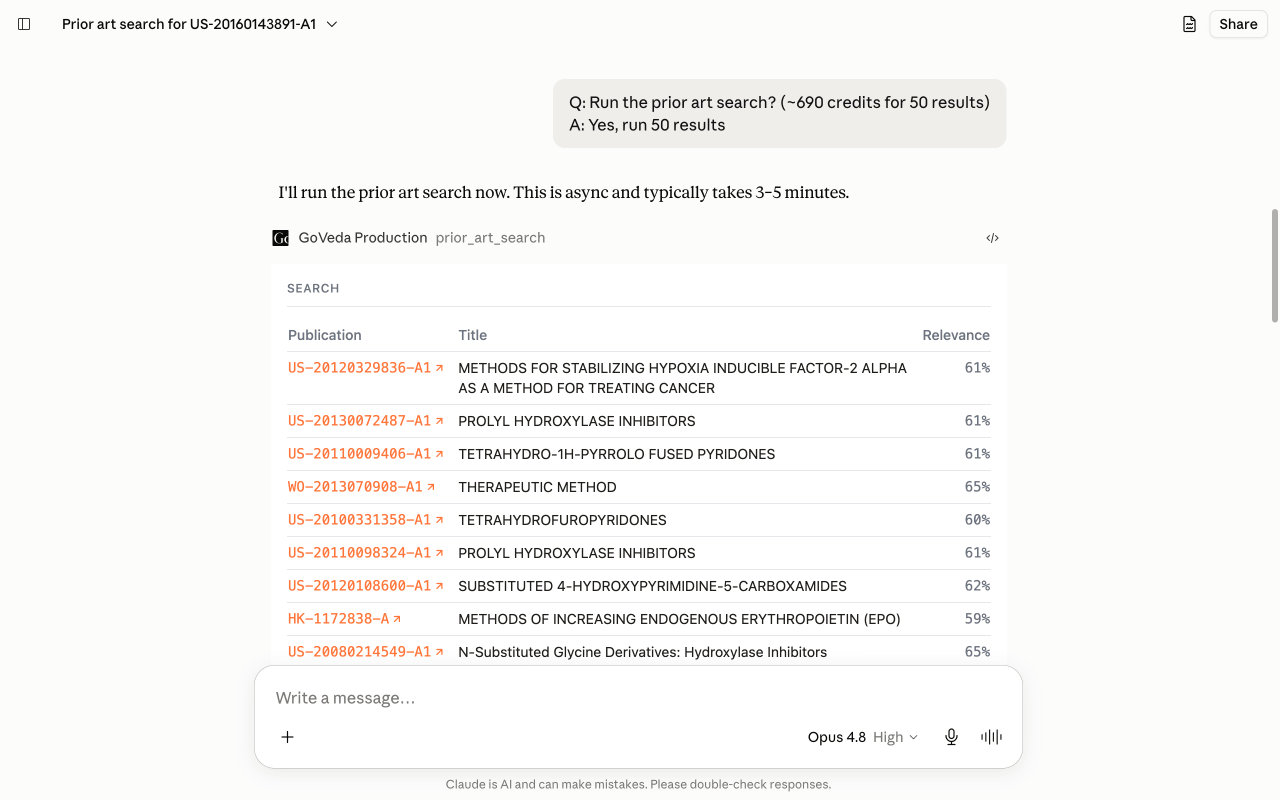
This is the dedicated prior-art tool, which runs server-side for a few minutes rather than answering in one shot. The assistant submits the job and then waits on it:
Submit the prior-art search
It calls prior_art_search with the patent number. That reads the patent’s full content and starts a deep search across 220M+ publications, returning a job id rather than instant results.
Poll until it finishes
It checks get_search_status until the job completes. This is the slow part, usually three to five minutes, because the search compares your patent against the entire corpus, not a keyword index.
Rank and summarize
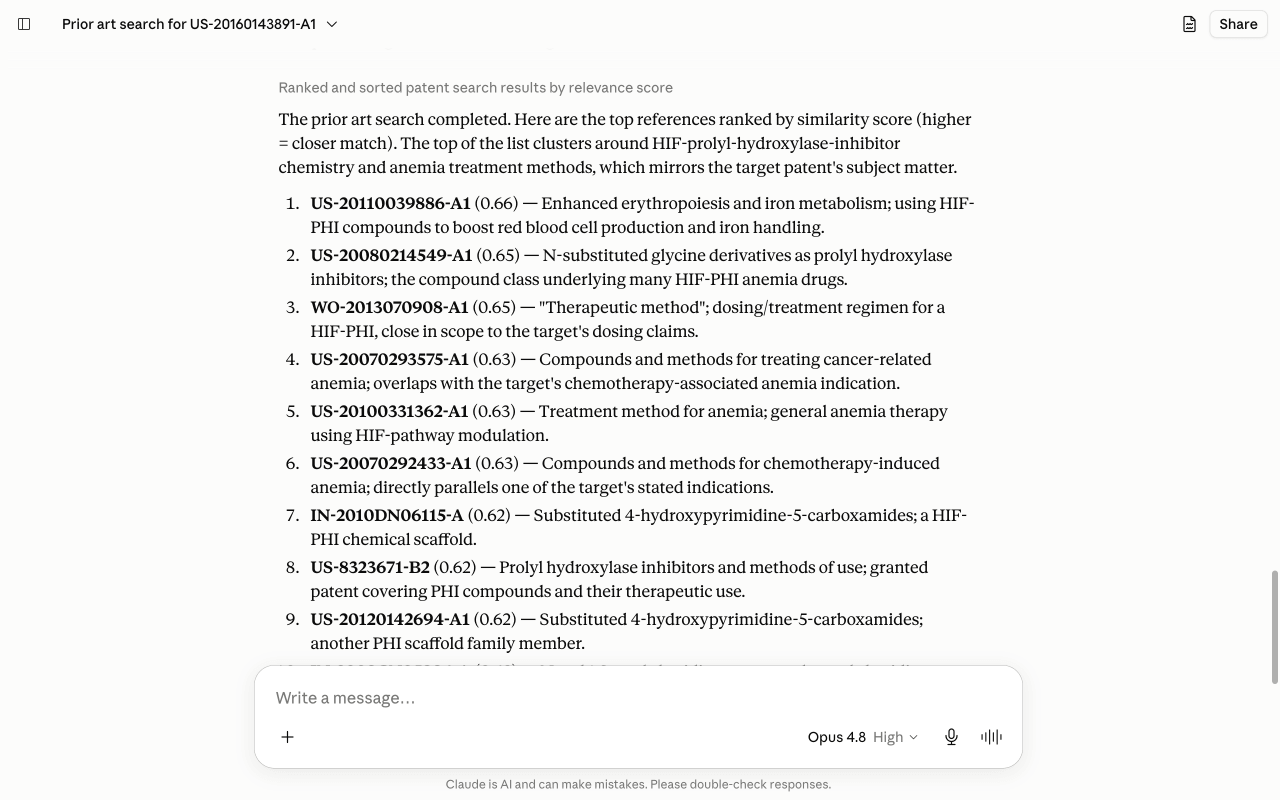
Once results land, it reads the top references and writes a one-line note on what each covers, ordered by similarity.
You can watch the search run and resolve in the chat:
What you get
You get a ranked list of the closest earlier references, each with a similarity score and a one-line note on what it covers. GoVeda reads the scores honestly: when the results cluster tightly, it tells you the field is crowded rather than implying one standout hit. Because this is the dedicated prior-art tool, it uses more credits than a quick semantic search.
Tips
This grounds the search in a real patent, which is different from describing an idea (see Assess Novelty & Plan a Design-Around for that). You can narrow the search with filters such as date ranges, authorities, or classifications to focus on the prior art that matters for your case. No automated search is exhaustive, so treat the results as a starting point and have counsel review them before relying on them for a validity or patentability decision.
Next: browse more use cases or read the MCP tool reference.