GoVeda IP Models
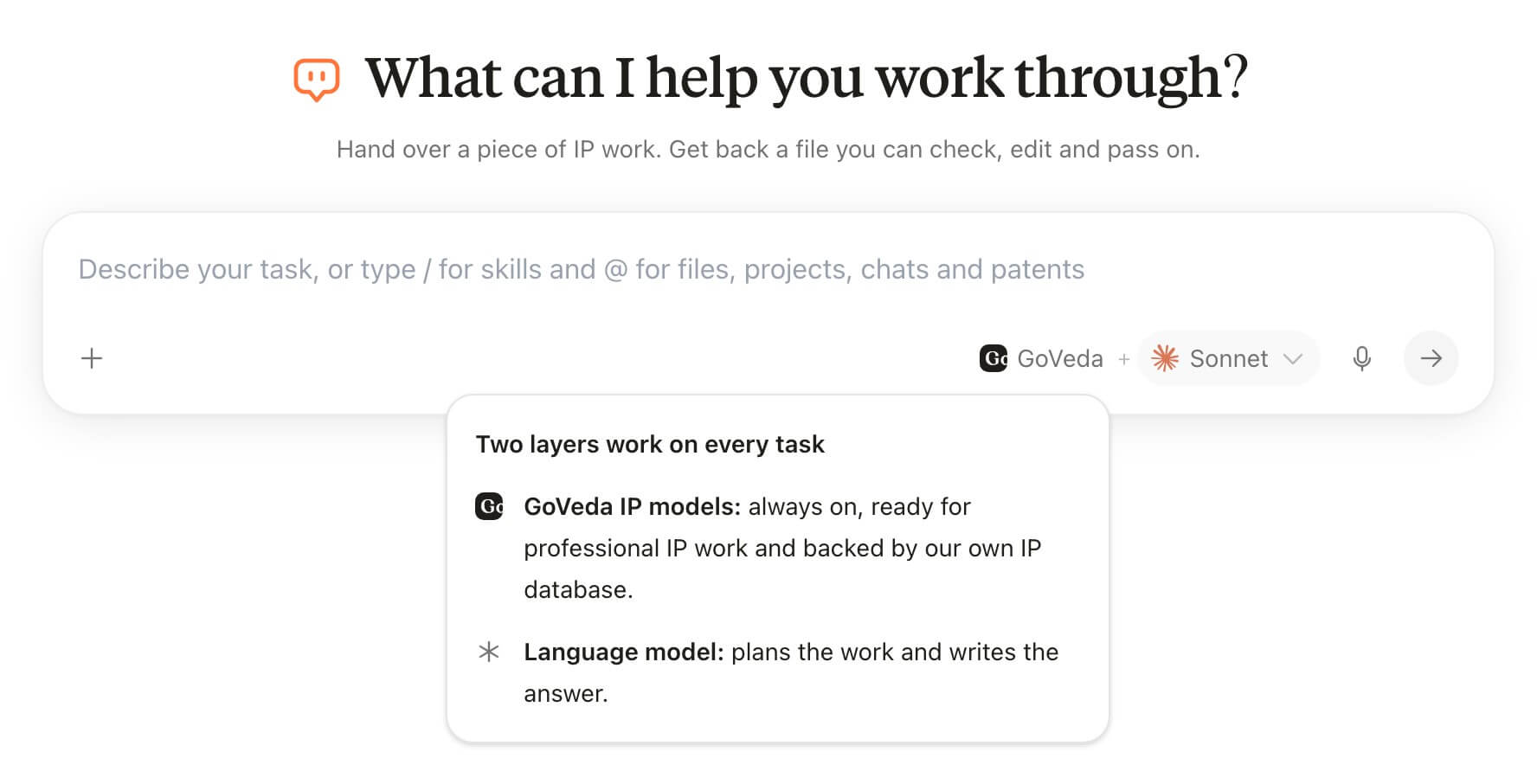
GoVeda IP models are GoVeda’s own models for IP work. They are always on: in every chat they search, read and count patents in GoVeda’s patent data, whichever language model you choose. You don’t pick them or set them up, and they don’t need your own key.
Why they matter
A general language model answers patent questions from what it remembers, which can be out of date, incomplete or simply wrong. GoVeda IP models ground the work in the patent record instead:
- Built for IP work. The retrieval and ranking models are GoVeda’s own, refined through GoVeda’s work with the Intellectual Property Office of Singapore (IPOS) on search and examination tools.
- Search by meaning. Describe an invention in your own words, and they find relevant patents even where the documents use different terms.
- Across languages. Ask in your language and find patents filed in Chinese, Japanese, Korean or any other language, without translating the terms yourself.
- Answers you can check. Patents in an answer link to their records, so you can read the claims and passages behind a statement. See Chats.
What they do
They find patents, read full records and count filings by company, country, year or classification. See Patents, Papers & the Web for what they read and the other sources GoVeda Agent uses.
Where you see them
In the message box, the fixed GoVeda + tag sits beside the model picker. Hover over it, or tap it on a phone, to read how GoVeda IP models work with your language model. In Settings › Models, the GoVeda IP models card is marked Always on.