Invalidity Search
Invalidity search finds earlier patents and papers that could support a challenge to a patent’s claims, when the patent is asserted against you or stands in the way of your product or a licence deal. It is a Community skill, listed under Community in Capabilities, and is off until you select Turn on on its page. Once it’s on, you can start it, and GoVeda Agent can pick it when you describe the task in a chat.
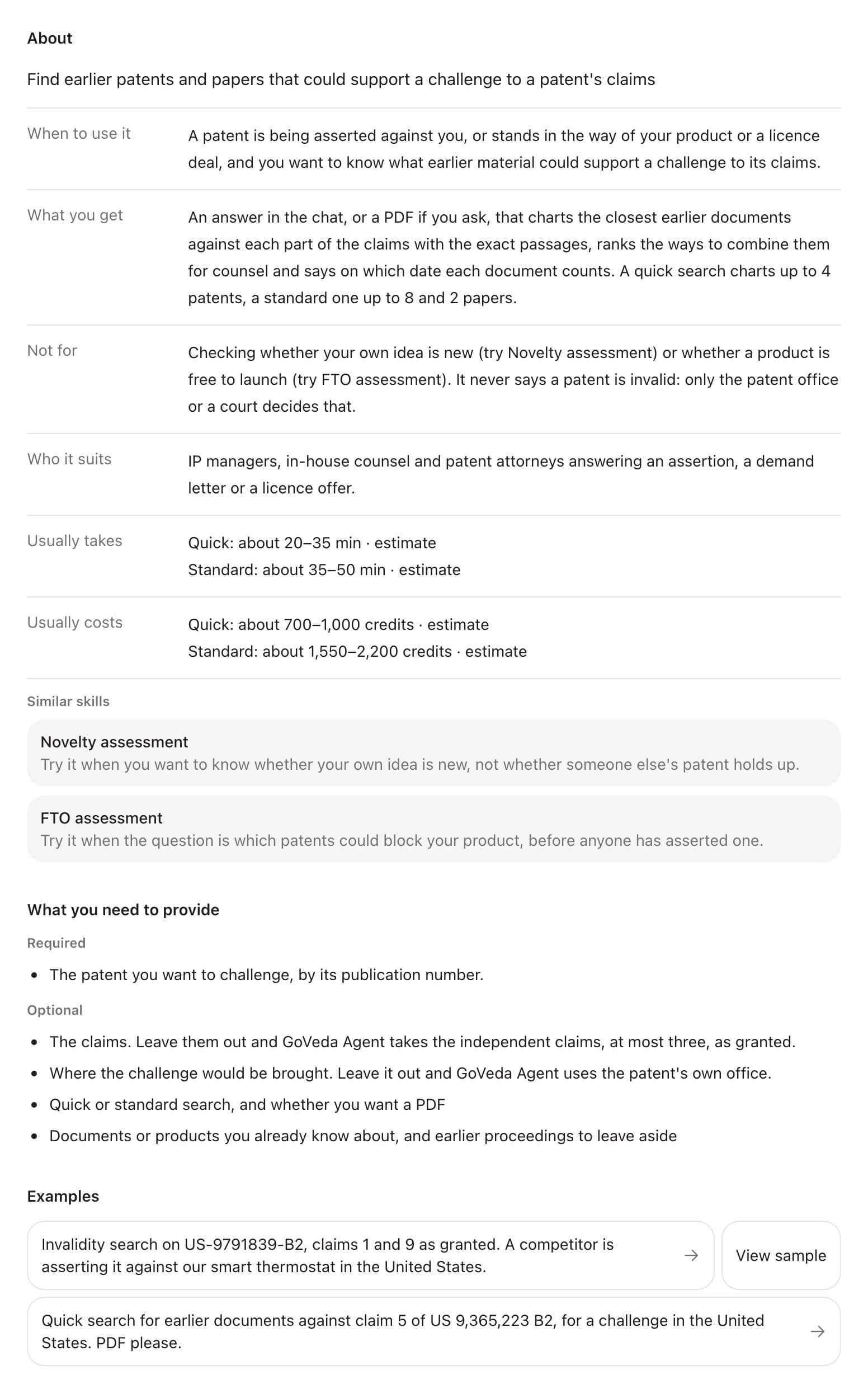
- Depth: Quick charts up to 4 earlier documents, found from the citations made when the patent was examined and from searches built on its claims, in earlier patents only · Standard adds a wider prior-art search, follows the citations of the closest documents and searches the web for papers, standards, manuals and product literature, and charts up to 8 patents and 2 papers
- Usually takes: Quick about 20–35 min · Standard about 35–50 min
- Usually costs: Quick about 700–1,000 credits · Standard about 1,550–2,200 credits
- Output: An answer in the chat, or a PDF if you ask
- Start it: Capabilities › Invalidity search › Turn on, then Start, or type
/in a chat once it’s on
When to use it
It suits IP managers, in-house counsel and patent attorneys answering an assertion, a demand letter or a licence offer.
Not for: Checking whether your own idea is new (try Novelty Assessment) or whether a product is free to launch (try FTO Assessment).
What you need to provide
Required
- The patent you want to challenge, by its publication number.
Optional
- The claims. Leave them out and GoVeda Agent takes the independent claims, at most three, as granted.
- Where the challenge would be brought. Leave it out and GoVeda Agent uses the patent’s own office.
- Documents or products you already know about, and earlier proceedings to leave aside.
- Quick or Standard, and whether you want a PDF.
You don’t need to work out the legal dates. GoVeda Agent derives them from the patent’s filing and priority history and states its assumptions. It asks for anything that is missing in a card titled A question from GoVeda Agent. For depth and budgets, see Quick or Standard.
What you get
The answer charts the closest earlier documents against each part of the claims with the exact passages, ranks the ways to combine them for counsel and says on which date each document counts. It includes:
- The approaches to take to counsel first, for each claim: a single earlier document that covers every part of the claim, or a combination of documents, ranked by how safe their dates are and then by strength.
- The claims split into lettered parts, with narrow and broad readings of open terms, and the dates that apply to each claim.
- Earlier proceedings in the patent’s legal record, such as reexaminations or certificates. If a certificate cancelled or amended a claim you asked about, the answer says so first.
- A chart for each earlier document: each part of the claim, the exact passage with its location and what is missing, plus any passages that point the other way.
- For each combination: the problem stated in the documents, the reason to combine them, the obstacles and a fallback.
- A dates table showing whether, and on which basis, each document counts against each claim.
- What was searched, further evidence to obtain, and whether the material is enough to prepare a formal challenge.
Passages are quoted in the document’s original language, with a translation when it is not in your language.
Example requests
Invalidity search on US-9791839-B2, claims 1 and 9 as granted. A competitor is asserting it against our smart thermostat in the United States.Quick search for earlier documents against claim 5 of US 9,365,223 B2, for a challenge in the United States. PDF please.Before you rely on it
This search looks for evidence. It does not decide validity and never says a patent is invalid; that is for a patent attorney, the patent office or a court. It is not a legal opinion. Material found may not meet a proceeding’s rules on evidence or time limits, the public date of a web source may need to be confirmed, and a search can miss documents. Have a patent attorney review the result before any filing.
Related
- Novelty Assessment: try it when you want to know whether your own idea is new, not whether someone else’s patent holds up.
- FTO Assessment: try it when the question is which patents could block your product, before anyone has asserted one.
- Your Own Skills: save your own variant, for example with your chart format and review checks.