Your Own Skills
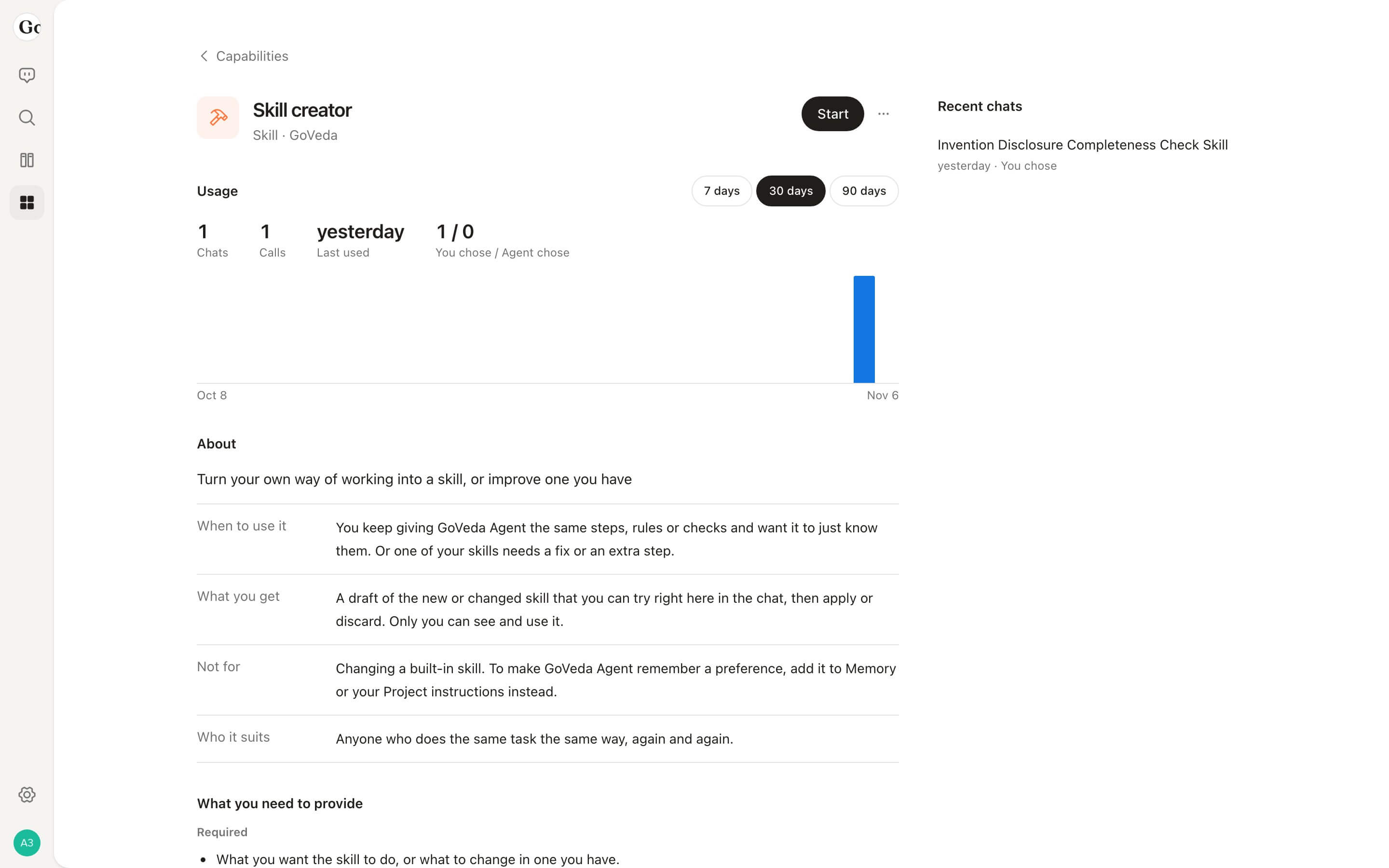
A personal skill saves a method you use again and again: the steps, checks, report structure and files GoVeda Agent should follow. Create one with Skill creator, which you find under GoVeda in Capabilities, or upload a skill you already have.
Skill, memory or project instructions?
| Use | For | Example |
|---|---|---|
| A personal skill | A repeatable method with steps, checks or a set output | Your claim-chart review checklist |
| Memory | A lasting preference or background fact | ”I prefer short English briefs, conclusion first.” |
| Project Instructions | Standing requirements for one client matter | The client’s jurisdictions, terminology and report language |
Skill creator can’t change a built-in skill. To adapt one, create your own skill that follows your version of the method.
Create a skill with Skill creator
Describe the method
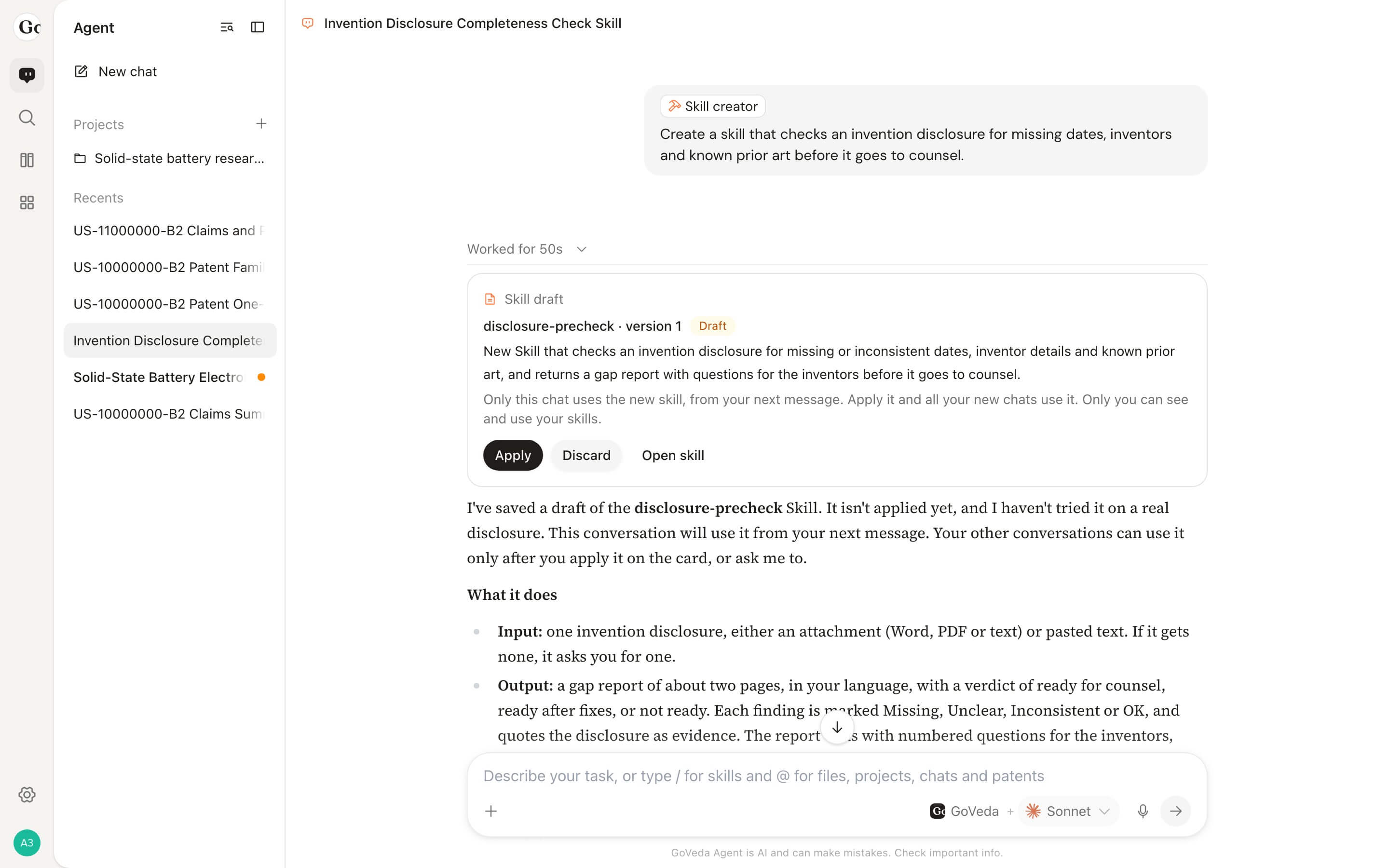
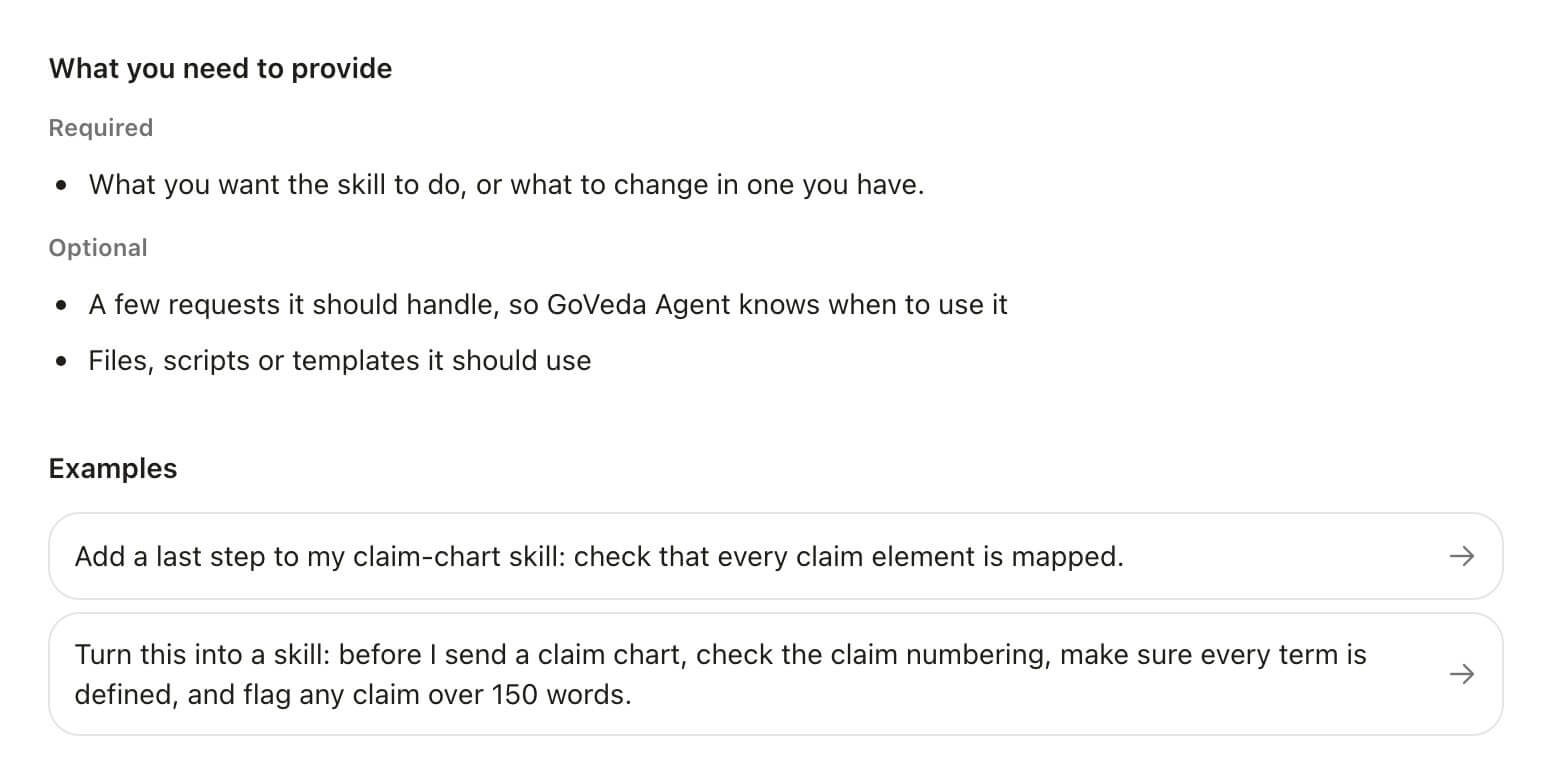
Ask GoVeda Agent to turn a method that worked in a chat into a skill, or type /, choose Skill creator and describe a new method. Add a few requests the skill should handle, and any files, scripts or templates it should use.
Try the draft
A Skill draft card appears in the chat. Try the draft with your next message in the same chat, and ask for changes to unclear steps or missing checks. Until you apply it, only that chat uses the draft.
Apply it
Select Apply on the card when the draft works as intended, or Discard to drop it. All your new chats can then use the skill through /, and you find it in Capabilities › Yours.
Turn the claim-chart review method we developed into a personal skill. First confirm the checks to keep, then create a draft I can test in this chat.After you use a skill a few times, ask GoVeda Agent to improve it based on what worked and what still needs adjusting. Skill creator is charged by actual usage like any other chat, and each round of trying a draft uses credits.
Skill creator details
Write a skill that works well
A good skill reads like instructions to a careful colleague. Cover these points:
- Goal: what the skill produces and for whom.
- When to use it: the requests it should handle, and those it should not.
- Inputs: what the user must provide, and what to ask for when it’s missing.
- Steps: the method in order, including searches, reading and comparisons.
- Checks: what to verify before answering, such as claim numbering or a source for every claim element.
- Output: the structure of the answer or file, and how to state gaps and assumptions.
Upload a skill
Start the upload
Open Capabilities and select Upload skill.
Choose a skill file
Choose or drop a .zip or .skill archive that contains one skill and its SKILL.md instruction file, or a standalone .md or .markdown file. The instructions need a name and a description in their metadata.
Wait for the checks
Keep the page open until the upload and checks finish. If you already have a personal skill with the same name, choose Replace or Skip. If the name matches a built-in skill, rename yours and upload it again.
Review the skill
Filter by Yours and open the skill to review its instructions and files.
An archive can be up to 50 MB, with up to 2,000 files and 200 MB once unpacked. A standalone Markdown skill can be up to 2 MB.
Only upload skills from sources you trust. A skill from someone else may try to access your data.
Manage your skills
Open a personal skill’s menu to choose Edit with GoVeda Agent, Replace skill, Download or Delete. Turn off makes an enabled skill unavailable in chats; Turn on makes it available again. Deleting a skill can’t be undone, but it doesn’t delete existing chats or their files.
Open Versions to see earlier versions. Use Review changes to compare a draft, Apply to make it current, Discard to remove a draft, or Use this version to return to an earlier one. New chats use the current version. A change applies from your next message or retry; work already running keeps the version it started with.
In a project, you can choose which personal skills its chats can use under Personal skills in Project settings. See Projects.