Capabilities
GoVeda Agent combines the language model you choose with capabilities for IP work. Some are always available; skills add a set method for a kind of task. Capabilities in the left rail shows them and how often you use them.
| Capability | What it does | How it’s used |
|---|---|---|
| Patents, Papers & the Web | Searches and reads 220M+ patents, 350M+ papers, the live web and your files | Always on; web search can be turned off |
| Private Workspace | Analyzes data and makes files and images in a private workspace for each chat | As the task needs |
| IP Skills | Set methods for IP questions: novelty, FTO, landscapes, commercialization, invalidity and more | GoVeda Agent picks one that is on, or you choose it. Community skills start off |
| Your Own Skills | Methods you save with Skill creator or upload | GoVeda Agent picks one, or you choose it |
You don’t need a skill for every task. Describe your question or document work in a chat, and GoVeda Agent uses the relevant tools. Use a skill when you want a set method, a defined depth and a consistent result. See What shapes the work.
The Capabilities page
| Part | What it shows |
|---|---|
| Overview | Your use over a period: Chats, Capabilities used, Calls and Deliverables, and chats per day. Select a day to see its chats. In a skill’s details, Recent chats lists its uses, and You chose or Agent chose shows whether you picked the skill or GoVeda Agent did. |
| Tools | Patent search and reading is always on, so you don’t need to pick it. Web search is on by default. |
| Skills | GoVeda, Community and your own skills. Filter by All, GoVeda, Community or Yours, sort, search, open a skill’s details, or turn a skill on or off. A skill that is off shows Off. |
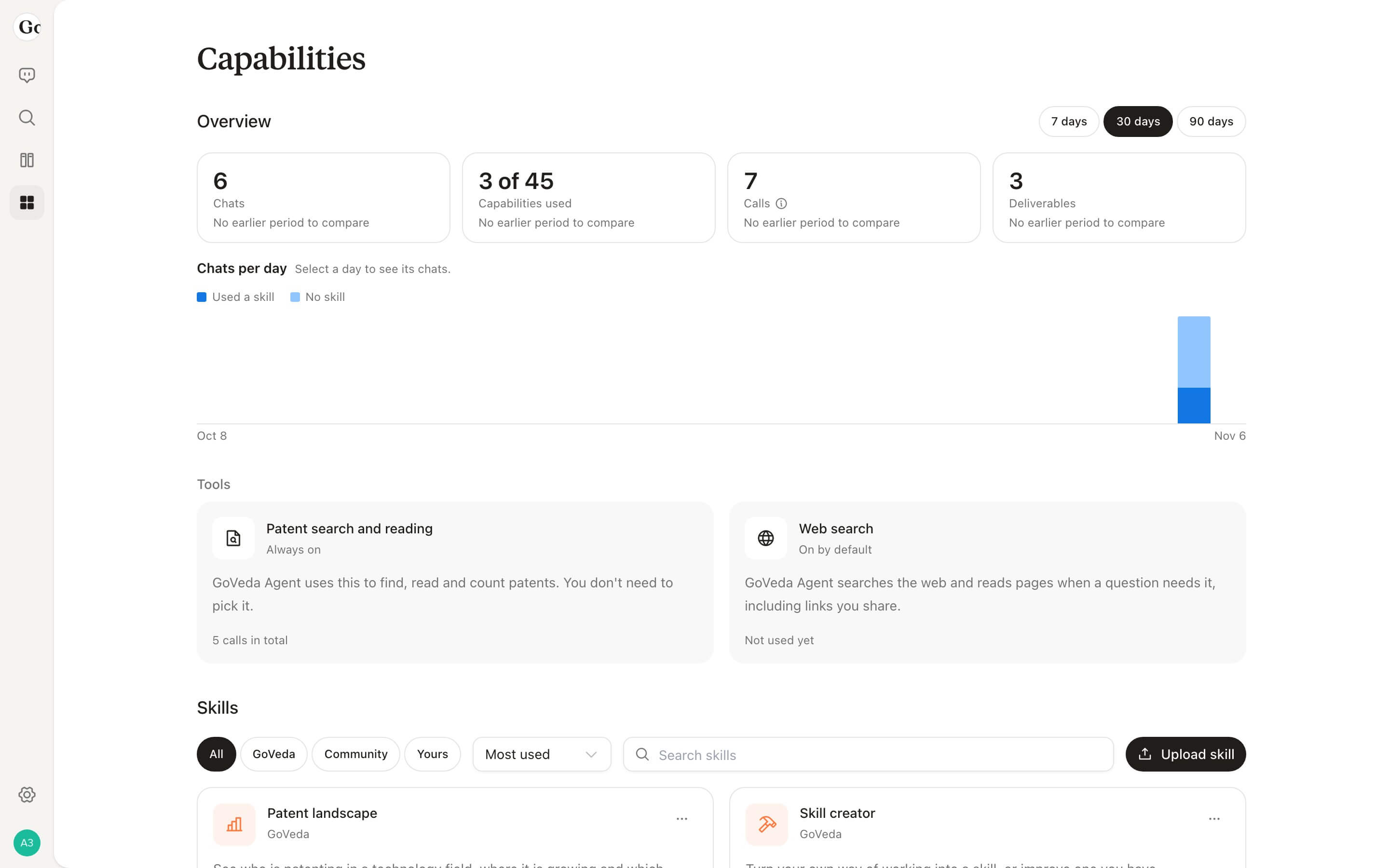
Calls count each time GoVeda Agent uses a capability, so one chat can make many calls.
Where skills come from
| Source | What it includes | Where to find it | Can you change it? |
|---|---|---|---|
| GoVeda | Novelty assessment, FTO assessment, Patent landscape, Commercialization assessment and Skill creator | Capabilities › GoVeda | No. To adapt one, create your own skill. |
| Community | More IP skills for specific tasks, such as Invalidity search, State-of-the-art review, Claim mapping, Office action response, IP due diligence and Technology scouting | Capabilities › Community | No. To adapt one, create your own skill. |
| Your skills | Skills you create with Skill creator or upload | Capabilities › Yours | Yes: edit, keep versions, turn off or delete. See Your Own Skills. |
GoVeda skills are on until you turn them off. Community skills are off until you turn them on: open the skill and select Turn on. To turn a skill off, open its ⋯ menu and select Turn off. Only skills that are on appear in a chat’s skill list, and GoVeda Agent chooses only among them.
To find a skill for your task, open Capabilities, choose All, GoVeda, Community or Yours, and search by name or task.
Use a skill
Choose the skill
Open Capabilities and select a skill to read what it does, what it needs and example requests. If the skill is off, select Turn on first. Select Start for a new chat with the skill selected, or select an example to fill in the message box. Nothing is sent until you send it. Where a finished example is available, View sample opens it as a read-only chat.
In a chat, you can also type / or select + › Use a skill.
Describe your task
Describe the task and attach what the skill needs. If you don’t select a skill, GoVeda Agent can choose a matching one that is on from your description.
Confirm the scope
GoVeda Agent may ask about missing inputs, Quick or Standard, and whether you want a PDF in a card titled A question from GoVeda Agent. Each depth option shows its usual credits. Progress then shows Loading skill: … and Used skill: … with the skill’s name.
Review and refine
Read the result, open the sources, and keep refining in the same chat.
Each skill in Capabilities shows how often you’ve used it, such as 21 calls in total, or Not used yet. An IP skill’s page also lists the files made in chats that used it under Deliverables.