Patentability Report
A Novelty Analysis Report searches global patent databases for prior art, then compares that prior art against your invention’s specific features. The result is a structured document with a patentability verdict, claim-level analysis, and recommendations.
This is not a legal opinion. It is an AI-assisted prior art search that gives you and your patent attorney a documented starting point.
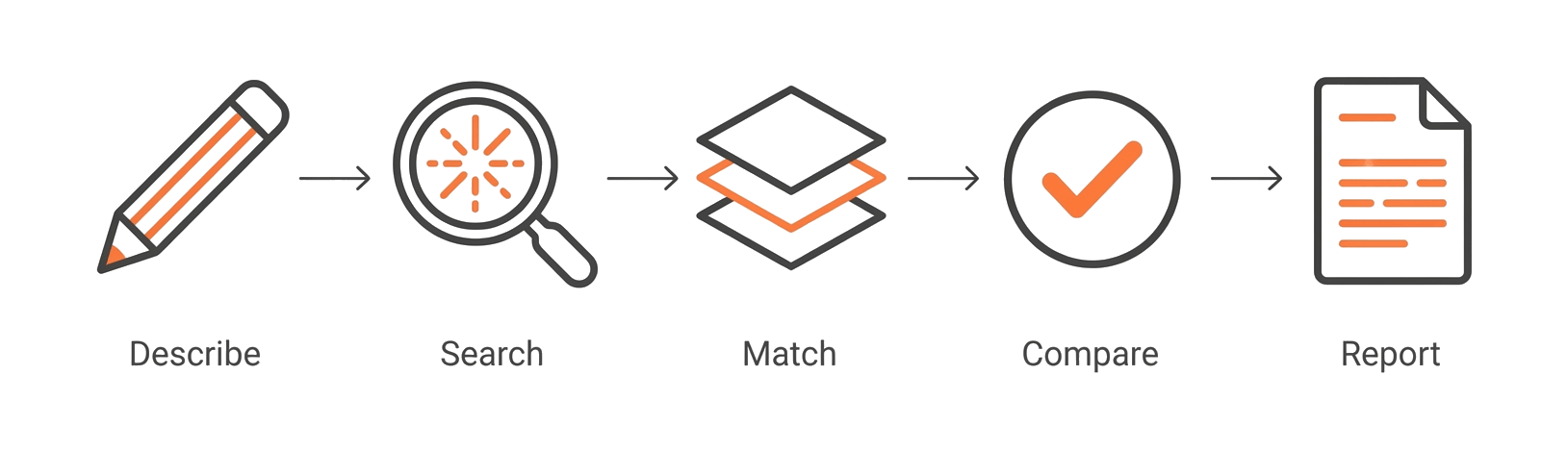
How to generate a report
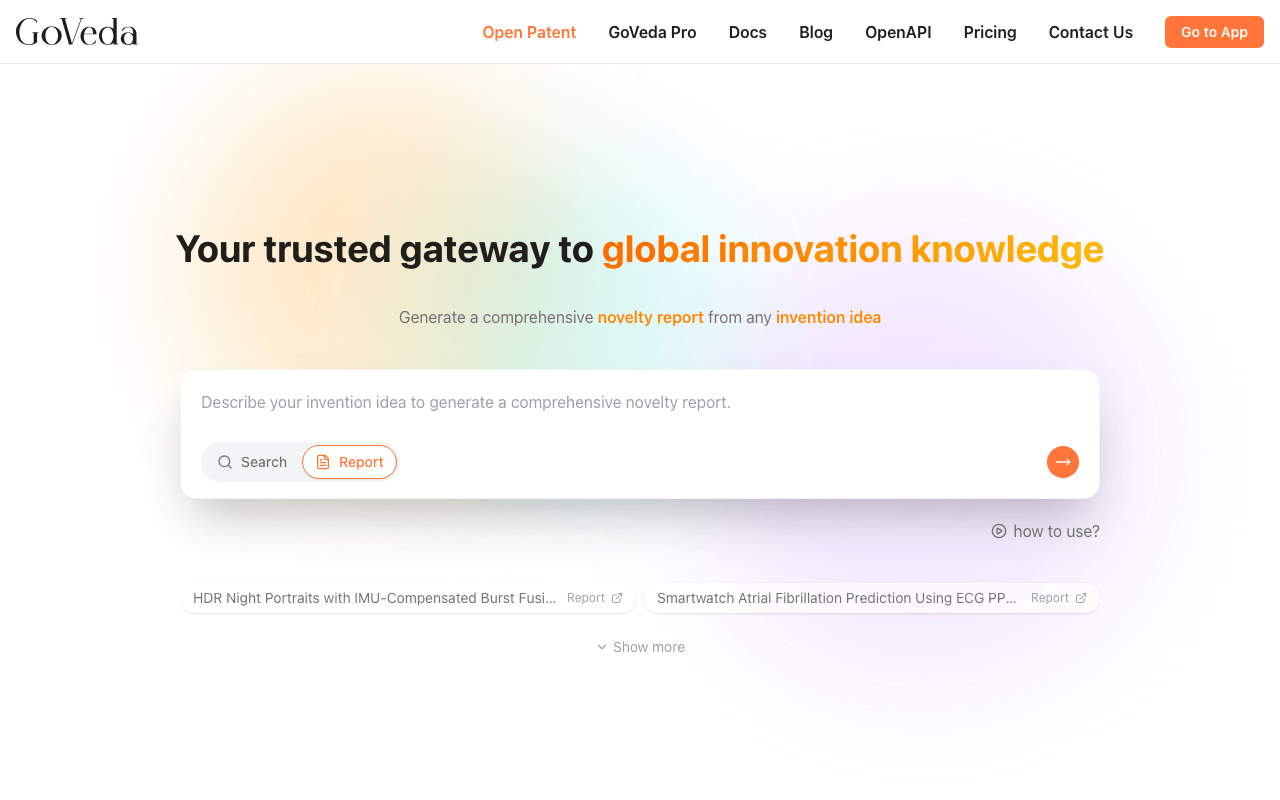
Open the search interface
Open the GoVeda search interface.
Select the Report tab
Click the Report tab (next to the default Search tab).
Describe your invention
Enter a description of your invention in the text box.
Generate the report
Click Generate Report.
GoVeda submits your description and begins analysis. You are taken to the report page, where progress updates in real time.
Writing your invention description
Your description is the primary input. A more specific description produces a more precise search.
Good descriptions include:
- What the invention does (its function or purpose)
- The key technical mechanism or approach
- What distinguishes it from solutions you are already aware of
- The field it belongs to (medical devices, software, mechanical systems, etc.)
Example: “A smartwatch method for predicting atrial fibrillation using on-device machine learning applied to ECG waveform data, without requiring cloud connectivity.”
Aim for at least two or three sentences covering those points. Very short descriptions tend to produce generic results.
Multilingual input
You can describe your invention in any language. GoVeda processes the description in whatever language you write it and produces the report in English.
How long it takes
Analysis typically takes 3 to 5 minutes. The report page shows a live progress tracker with these stages:
- Initializing Analysis — Setting up the environment
- Analyzing Your Innovation — Extracting core features and mapping technical domains
- Searching Patent Databases — Retrieving potentially relevant prior art from global sources
- Evaluating Prior Art — Reviewing and comparing candidate patents for relevance (shows progress count)
- Generating Final Assessment — Compiling patentability conclusions
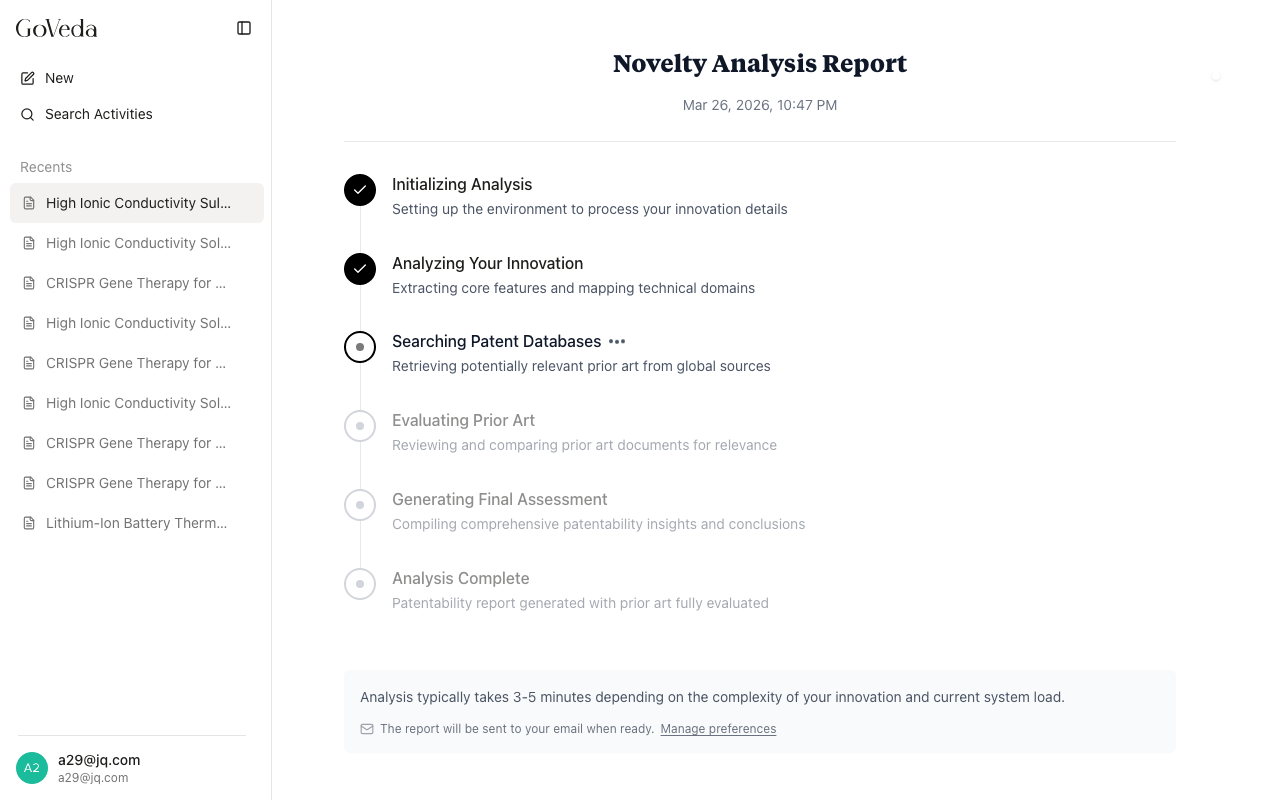
You can leave the page and return later. If you are not signed in, you can enter an email address while the report is generating. GoVeda will send you the result when it is ready. Signed-in users can manage email notification preferences in their profile settings.
Credit cost
Generating a report costs 720 credits. Unlocking a redacted report also costs 720 credits.
Credits are included with Pro subscriptions. Without a Pro subscription, GoVeda generates the report but shows only the first prior art finding. The rest is blurred until you unlock the full report.
See Report Access for the full access rules.
After generation
When analysis completes, the report page shows all results. From there you can:
- Read the full prior art analysis
- Export the report as a PDF
- Send it to your email address
- Share a read-only link with colleagues
See Reading a Report for a section-by-section walk-through.