Patent Chat
Patent Chat is available to all logged-in users (Free and Pro). You must be signed in to use it.
Patent Chat is an AI conversation interface built into the Patent Viewer. You can ask questions about the specific patent you’re reading and get answers grounded in its content.
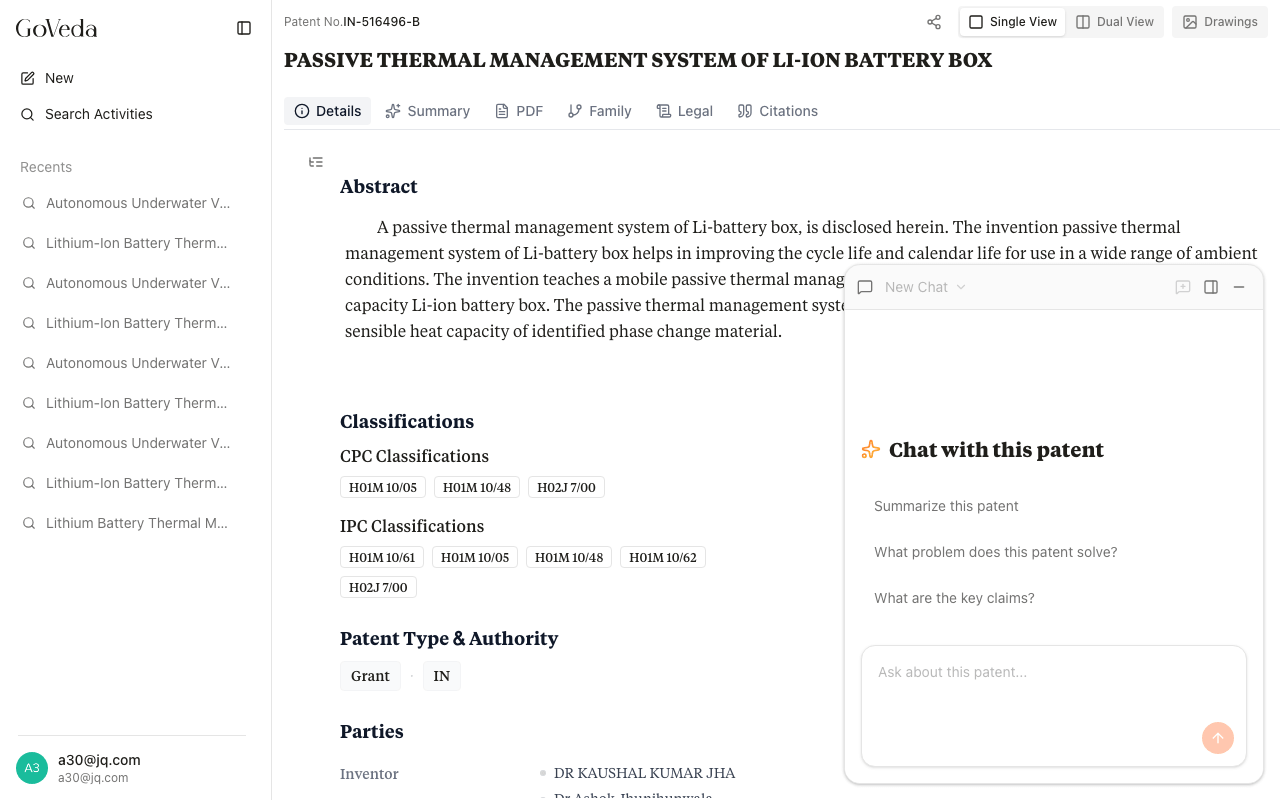
How to start a chat
Patent Chat is available from any patent page. Click the floating Chat button (message icon) in the bottom-right corner of the screen to open the chat panel. It slides in alongside the patent content on desktop, or opens as a full overlay on mobile.
You must be signed in to use Patent Chat.
If you are not signed in, the chat panel shows a prompt to log in. Once signed in, the chat loads your most recent conversation for that patent automatically.
Asking your first question
When you open a fresh chat, three suggested questions appear:
- Summarize this patent
- What problem does this patent solve?
- What are the key claims?
Click any suggestion to send it immediately, or type your own question in the input field and press Enter.
What you can ask
Patent Chat is grounded in the patent text, so it works well for questions about:
Understanding the invention
- What technical problem does this patent address?
- How does the described approach differ from prior art?
- What is the main embodiment described in the description?
Claims analysis
- What does claim 1 cover?
- Which claims are independent?
- Is there a claim covering [specific aspect]?
Specific sections
- What does the abstract say about [topic]?
- Is [term] defined in the specification?
- What figures are described in the description of drawings?
Comparisons and scope
- How broadly is [feature] claimed?
- What limitations appear in the dependent claims?
How answers reference the patent
When the AI cites a specific passage — such as a claim or a paragraph from the specification — a citation badge appears in the answer. Clicking that badge jumps the patent content pane to that exact passage and highlights it, so you can verify the source directly.
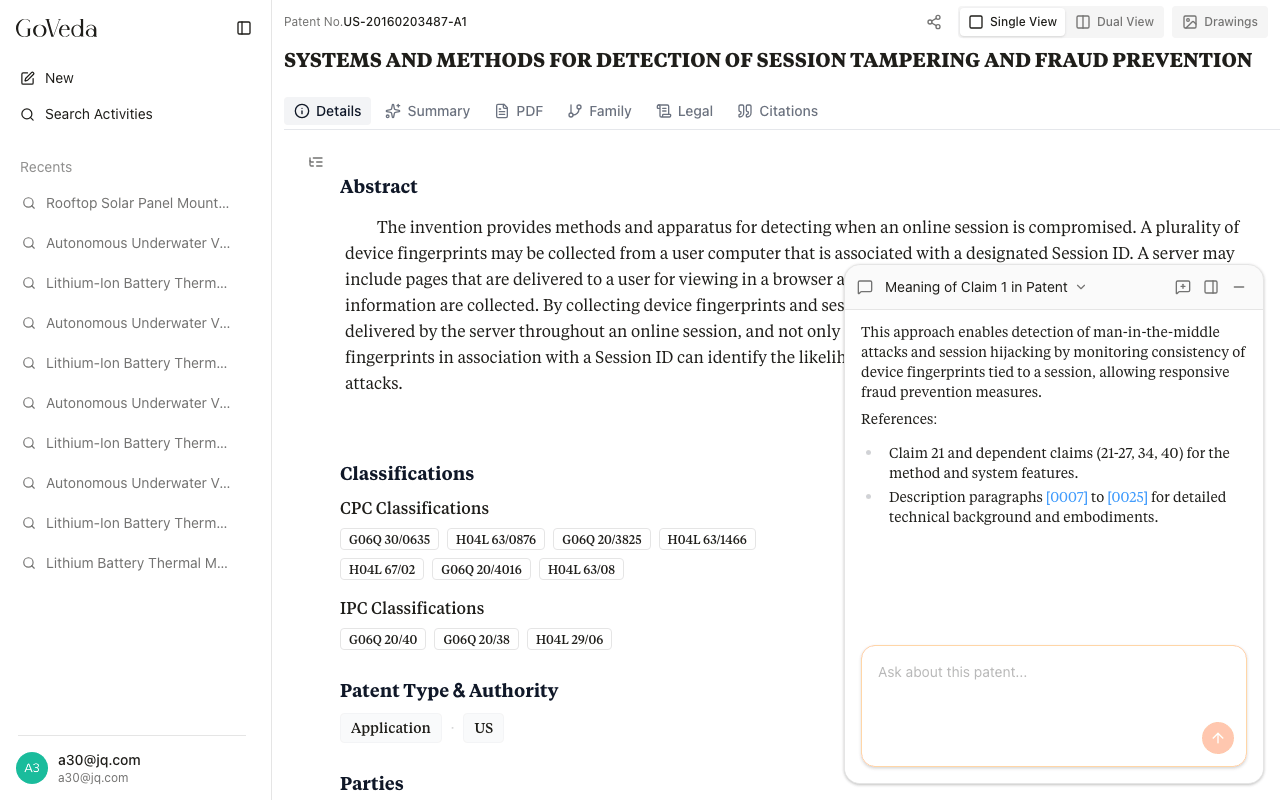
Editing a message
If you want to rephrase a question or fix a typo, hover over any message you sent and click the edit button (pencil icon). The message opens in an editable text field. Press Enter to save and regenerate the AI’s response, or press Escape to cancel.
Editing a message replaces the previous AI answer with a new one based on your revised question. This is useful when a slightly different wording would get a better answer.
Multiple conversations
You can start a new conversation for the same patent at any time by clicking the new chat icon (plus icon) in the chat header. Previous conversations for a patent are preserved and can be revisited from the conversation selector.
Conversations you no longer need can be archived to keep the list tidy.
Limitations
Patent Chat has a few boundaries worth knowing:
- Scope is limited to the current patent. The AI has access to the text of this specific patent. It does not search other patents or external databases during a conversation.
- Chat is not legal advice. Answers are based on the patent text and AI interpretation. For prosecution, freedom-to-operate analysis, or litigation, consult a qualified patent attorney.
- Long or complex patents may be summarized. Very large specifications can exceed what the model processes in a single response. If an answer seems incomplete, ask a more specific follow-up question.
- Rate limits apply. Each message uses tokens from a rate-limited pool. The pool refills over time. If you hit a limit, wait a few minutes before sending more messages.
- Accuracy is not guaranteed. AI can misinterpret claim language or miss nuance in technical disclosures. Always verify important points against the original patent text.